

 Status Transitions of a Workflow Work Item
The diagram shows the possible status transitions:
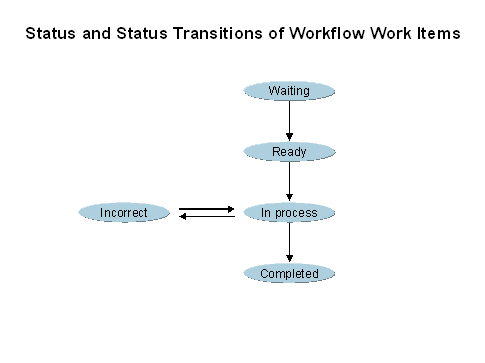
The statuses of a workflow work item and the permissible status transitions always concern an entire workflow.
An activity in the workflow definition can reference both a task and another workflow. A workflow can therefore also contain subordinate subworkflow items.
Transition from status waiting
The transition from the status waiting to the status ready is performed automatically by the
work item manager when the requested start is reached.A workflow system administrator can set a work item to the status ready manually.
Transition from status ready
The ready status is a temporary interim status because it only exists until the first work item of the workflow has been created.
Transition to and from status in process
The status of the workflow changes to in process as soon as the first work item of this workflow has been created. The workflow remains in this status until the entire workflow definition has been processed.
Transition to incorrect status
An error occurs during workflow execution or coordination.

Rule resolution for determining an agent does not return a result which can be used.
A workflow system administrator can intervene and set workflows with errors to the status in process or the status logically deleted (possibly after eliminating the error). If a workflow is incorrect, the responsible workflow system administrator specified either globally in Customizing or in the basic data of each workflow definition is notified by mail.
This status does not mean that a dialog work item of this workflow has the incorrect status.
Transition to completed status
A workflow is set to the status completed when the last step of the relevant workflow has been completed.