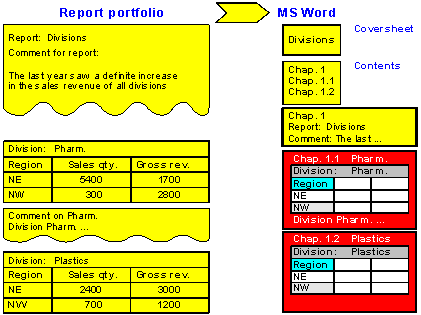
Example of Printing a Report from Microsoft Word
The following figure represents an example of a report portfolio report, transferred from Microsoft Word for Windows 6.0. The report portfolio report Divisions is made up of two lists, one for each division, a comment on the entire report and a comment on one of the lists. If the settings Cover sheet, Chapter numbers and Page numbers have been chosen for the transfer to MS Word, the report will be printed in the format you see in the example. The first three sheets contain the Cover sheet, Table of Contents and comment on the entire report respectively.