
 Detail Screen Area
Definition
In the Details screen area, you can further specify your time data. In it, you can store detailed information on a time entry or record time data spanning more than one day.
Use
The Details screen area performs different functions depending on whether you work with list-oriented views or calendar views:
- In list-oriented views, you use the Details screen area to store details that are required less often and therefore do not need to be displayed in list fields. Examples of such information are data on sick pay or different payments.
- In calendar-oriented views, you use the Details screen are to store all detailed information on a time entry.
Time entries spanning more than one day can be recorded only in the Details screen area. For more information, see
Processing Several-Day Time Entries.
Structure
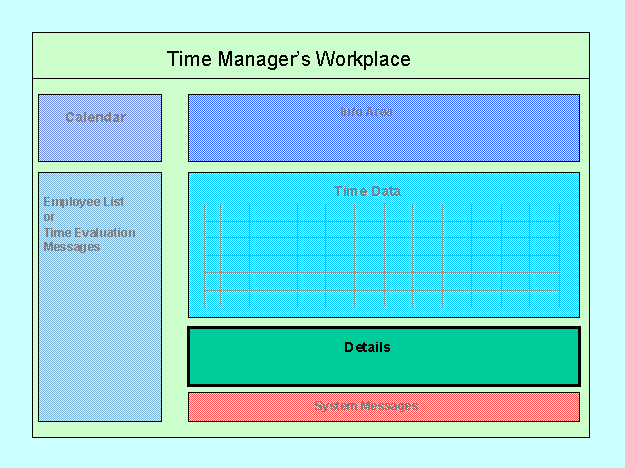
- When you select the detail screen for a time entry, the system calls the fields and tab pages required for this time entry. For example, the system displays different tab pages and fields for the time data ID V (Vacation) than for ILL (Illness).

You define which fields and tab titles you want to be displayed for which time data in the Implementation Guide: Personnel Time Management -> Time Manager’s Workplace -> Screen Areas -> Details for Time Data.
- If you show details for a blank row in the Time Data screen area, then only the left side of the Details screen area is ready for input. If you record the time entry using its time data ID, then the applicable tab for this type of time entry is automatically displayed.
- To indicate a time entry spanning more than one day, make the applicable entries in the appropriate date fields.
Integration
The Details screen area is always available when using the Time Data screen area.