

 Table Painter
Use
You use the Table Painter to design the layout of
templates and tables using line types.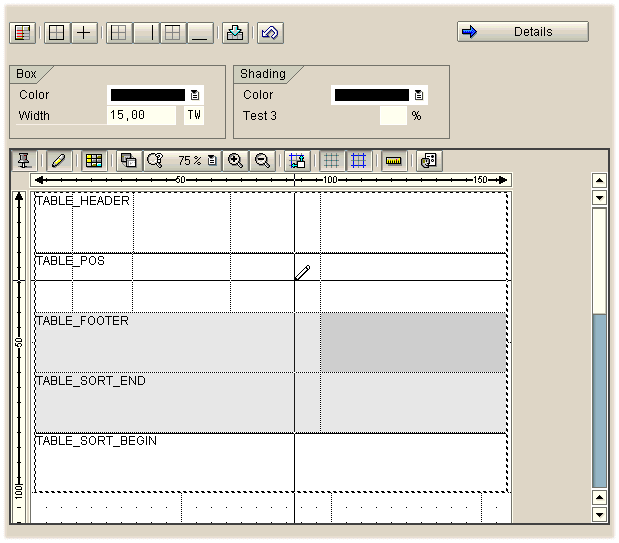
In this screen capture, you see the Table Painter in the lower part, highlighted by a 3D frame (which you can switch on/off using the settings). Above the Table Painter are the functions that allow you to provide the line types with
boxes and shading.Integration
The white design area mirrors the width of the window in which the table or template will be displayed. If you select a window width that is too small to display an existing table or template, SAP Smart Forms goes to the Details view and asks you to check the table definition. Adapt the table width to the window.
Activities

It is not sufficient to end form editing. To save the settings, you must exit the initial screen of the transaction. If you log off the system during form editing, the settings are not saved because the system does not recognize this as exiting the transaction.