

 Converting Texts
Use
You can use this function to create predefined texts for particular fields and display them on the time statement form. This enables you to display texts for variables such as the weekday or pair type on the time statement form, for example.
Prerequisites
You have already added the fields you want to display to your form.
Features
You create text conversions for single fields using the Conversion field in the Change Form Layout screen. You use the conversions beginning with "T" for text conversions.
For text conversions, the first character of a field in a form table is evaluated. You can also use the function for table fields with more than one character, as long as the first character of the field is unique.

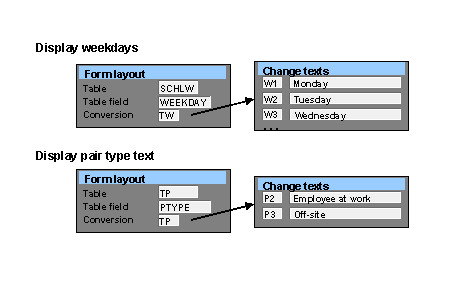

For weekday texts, the last day of the week is determined by feature LDAYW. In the standard system, it is Sunday, but you can modify the feature if required.
Activities
You want to display the day type on the form, and have created text conversion TY in window F1. You now create the following text modules:
Y0 – Work/paid
Y1 – Off/paid
Y2 – Off/unpaid
Y3 – Off/special day