

 ztta/roll_extension: Extended Memory Limit
The value specifies the amount of memory that one user context can allocate to the SAP extended memory. This value applies to all types of work processes.
Unit: bytes
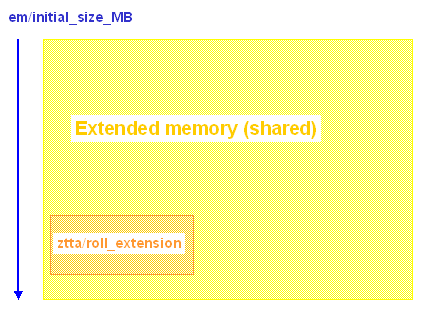
The value refers to the
SAP Extended Memory that a User Context allocates. If the value entered is exceeded, heap memory is allocated. The work process is assigned only to this user context and represents other user contexts that are no longer available since it is switched to the PRIV mode (in the work process monitor, Transaction sm50). See Private Memory.If the value is set too high, caused by a large user context, an extended memory bottleneck can occur. If a large user context fills the SAP extended memory, other smaller user contexts could thereby switch work processes into PRIV mode before their SAP extended memory limit has been used up.
SAP recommends you test your system using a high value (500 MB). If the PRIV mode is switched on prematurely, you can decrease the size.
Under IBM AIX (see also
Configuration for AIX) and Siemens-Nixdorf SINIX you can use ztta/roll_extension to balance the effects of the relatively small values that can be defined for abap/heap_area_nondia (see abap/heap_area_nondia: Heap Memory Limit for Non-Dialog Work Processes). If the maximum data segment size is a relatively small value, this restricts the heap memory available for background processing tasks on these platforms.In order for the background processing to have at least 500 MB memory allocated to it, SAP recommends setting the parameter ztta/roll_extension to the values listed below. Set these values only on the servers that are used primarily for background processing. Otherwise, the SAP extended memory may be filled by just a few work processes and the PRIV mode will be switched on prematurely (see
Recognizing and Correcting Problems).You must always increase the value for
em/initial_size_MB: Extended Memory Size, so the active processes can be executed. Using the CCMS Alert Monitor (transaction rz20), you can determine how much extended memory your server allocates. The peak value displays the "high water mark" (maximum allocation) for Extended Memory.Goal:
Minimize the number of dialog work processes in the PRIV mode.
