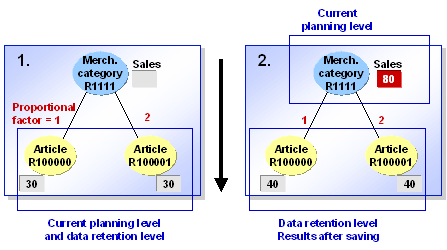
Example: No Planning Data Exists at Lower Levels
 Results when using proportional factors:
The system uses the proportional factors to distribute the sales for the merchandise category among the articles.

Results when using the current situation:
The system distributes sales for the merchandise categories to articles, according to the planned sales for each article in step 1.