Programs and Program Sections
Programs and Program Sections
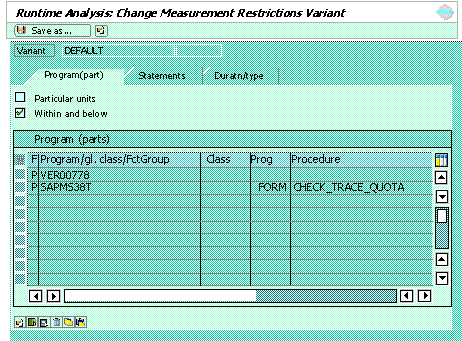
You can restrict the runtime measurement to particular objects by choosing Change from the Measurement restrictions group box on the initial screen.
If you only want to measure certain programs or sections of programs, enter the ID of the object in the first column, followed by its name. You can specify up to ten programs.
The program type must be one of the following:
Under Class, you can enter the name of a class or an interface. Proc. can be one of the following:
The following table contains all possible input combinations. Entries in red are added automatically:
P |
Program |
Class |
Proc. |
Procedure |
F |
Function group |
FUNC |
Function module | |
C |
Global class |
|||
F |
Function group |
|||
P |
Program |
|||
C |
Global class |
METH |
Method | |
C |
Global class |
Local class |
METH |
[ Method ] |
F |
Function group |
Local class |
METH |
[ Method ] |
P |
Program |
Local class |
METH |
[ Method ] |
F |
Function group |
|||
P |
Program |
FORM |
Subroutine |
 If you intend to repeat the measurement, you can save your entries as a variant by choosing Save as… If you choose Save (