Assigning Short Names
Assigning Short Names
Each field made available through an InfoSet can have a short name. You need these short names if you want to place the value of a field in a header (see
Changing Headers) or calculate a local field (see Defining Local Fields).
Only in these cases do you need to assign a short name.
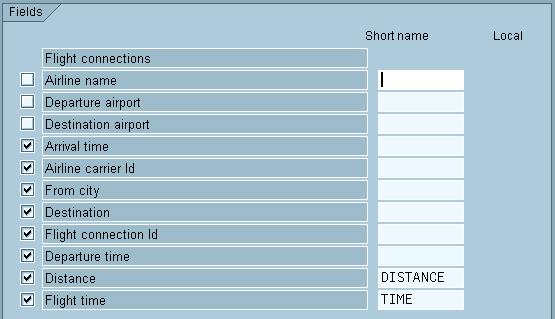
You assign a short name to a field from an InfoSet by entering the short name in the appropriate input field. If you do not see such a field on the Select Field screen, choose Edit
Short names Switch on/off.A short name can consist of up to 10 characters. It must always begin with a letter and can contain only letters, digits and the underscore character (‘ _ ‘).
If you want to know whether a short name is needed, place the cursor on the field concerned or on the short name and select Edit à Short names à References. You then see a list of all the places in the query definition where the short name is used.

This function only returns a where-used list for the short names. It does not indicate which sublists of the query use the associated field.
Since the next section describes how to define a local field, which uses the fields Distance and Flight time, short names are assigned for both these fields.