Defining the Table Layout
Defining the Table Layout
Use
You use the table layout to determine:
Procedure
Create a template node and maintain the attributes Width, Horizontal alignment, and Vertical alignment (See F1 help).
Use the table control on the Template tab to define the layout of the lines. Each line of the template must have a definition. You can use one line in the table control to define either the layout of one template line or a common layout for several template lines:
Use the Pattern box to select the desired table pattern.
Example
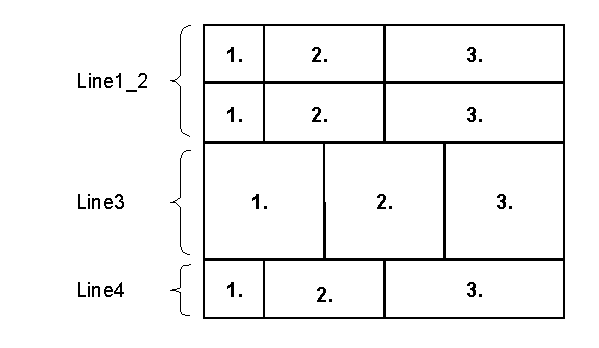
You define the following lines in the table control (in the example without measurement units):
Name |
From |
To |
Reference |
Height |
1. |
2. |
3 |
Line1_2 |
1 |
2 |
1 |
1 |
2 |
3 | |
Line3 |
3 |
3 |
2 |
2 |
2 |
2 | |
Line4 |
4 |
4 |
Line1_2 |
1 |
1 |
2 |
3 |
You use the Pattern box to specify that all cells are separated by visible lines and that the template is framed.
Result
On the form, the template may look like this: