 Defining Business Add-Ins
Defining Business Add-Ins
In order for application developers to include Business Add-Ins in their programs, they must define an interface for the enhancement in the SAP menu under Tools ® ABAP Workbench ® Utilities ® Business Add-Ins (transaction SE18) and call this interface at the appropriate point in their application program. Customers can then select the add-in and implement it according to their needs.
Example:
You want to be able to convert strings in your application program. You also want users to determine how their strings are converted themselves. As the application developer, you define an enhancement consisting of an interface with a method. A changing parameter is used to transfer strings.
In order to create an add-in like this, proceed as follows:


If this enhancement is going to be used multiple times or if you want its implementation to depend on a specific filter value, first choose Management and then select the appropriate checkbox in the category Type. More information about multiple use and filter dependency can be found in the sections

You can use the Fcodes tab to create menu enhancements. For more information, refer to the section on
Menu Enhancements.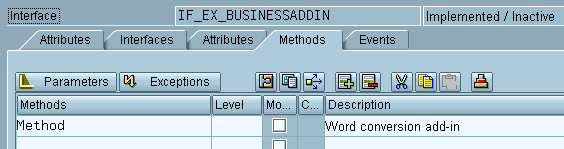


If you do not activate your attributes in the Class Builder, the system will not allow you to proceed with Business Add-In definition.
A table control now appears on the definition screen containing the method you have assigned to the interface.
Whenever you assign a method to an interface, the corresponding executing class is generated. The code generated cannot be altered in the initial expansion phase.
Changes made to the interface and changes made to the Business-Add-In definition are always incompatible!
If implementations already exist for a Business-Add-In definition, they are invalidated if you make changes to the interface. This means that their syntax is no longer correct. No statements can be given on the runtime behavior. Try to absolutely avoid making changes to the interface or the Business-Add-In definition after the transport has taken place.
If changes to the interface are inevitable, navigate to the Class Builder (transaction SE19, tab Interface, field Name of implementing class) for all implementing classes, that is, all classes for which Business-Add-In implementations are used, and clean up the method includes of these classes (Utilities ® Clean up ® Method includes).
Default and Sample Code
In the BAdI
Builder, you can choose the Goto menu entry to create, display, change and delete default or sample code.The default implementation is only executed if no other active implementation is available. This applies also to filter-dependent Business Add-Ins.
When you create default or sample code, do not forget to save your entries to ensure that the link between the class and the implementation can be established.