 Creating ITS Service Files
Creating ITS Service Files
To create an Internet Transaction Server (ITS) service, you must create a service file.
The service file contains the service description, which is the set of parameters that determines how a service runs. If this information is incomplete at runtime, the ITS may derive some details from the global service file, or require the user to enter logon information. In any case, there must be one service file for each application.

If you are developing applications using the Web transactions implementation model, it is best to create services with the SAP@Web Studio service wizard, but you can also
If you are developing applications using the flow file implementation model, you must
create the files manually.Prerequisites
There must be a user in the R/3 System which your service is using.
Procedure
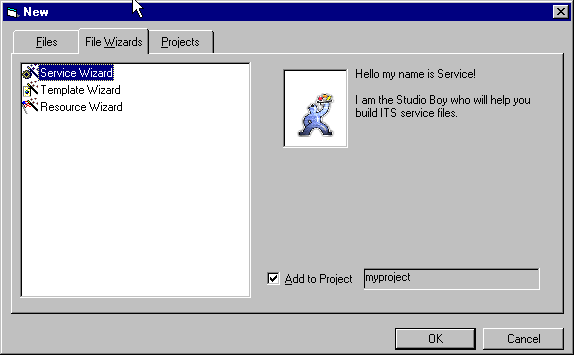
To create a service file using the service wizard:
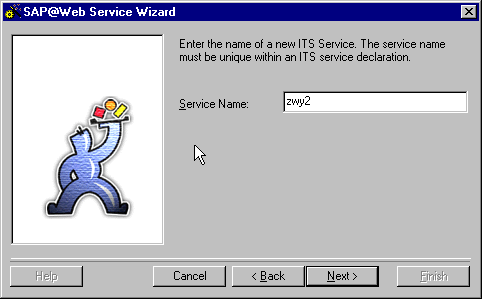
The service name can have up to 14 characters. This must be unique and should normally be the same as the corresponding R/3 transaction.
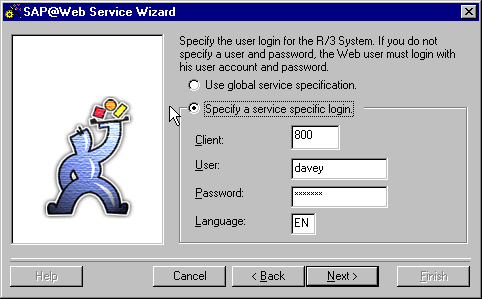
Logon information includes the client, user name, password, and logon language.
Specify whether you want to use global logon information or define service-specific logon information by selecting the appropriate option:
Option |
Procedure |
Use global service specification |
No action required. The logon information is taken from the global service file global.srvc at runtime. |
Specify a service specific login |
Enter service-specific logon information. You may wish to define a special user with limited authorizations for Web transactions. This user must exist in the R/3 System. Alternatively, you can leave these variables blank, and let users enter their own logon information. |

If you define service-specific logon information, remember that the language key must be:
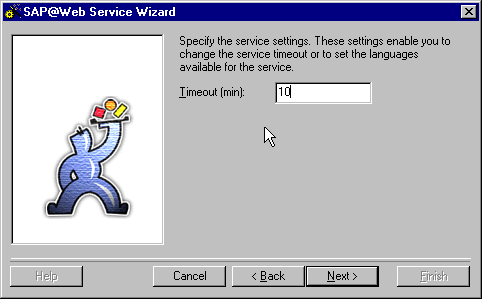
The timeout value defines the time (in minutes) after which the service terminates if no ITS session activity occurs. This is important in case the user branches to another URL without leaving the ITS session.
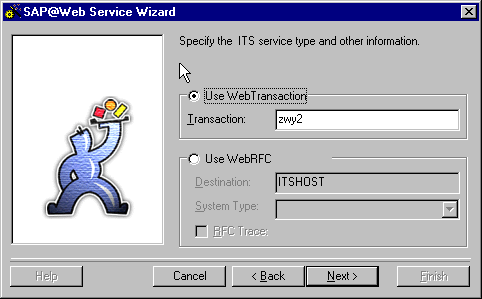
Specify whether you are calling an R/3 transaction or making WebRFC calls by selecting the appropriate option and entering the required information:
Option |
Procedure |
Use Web Transaction |
Enter the R/3 transaction name. |
Use WebRFC |
Enter the following information:
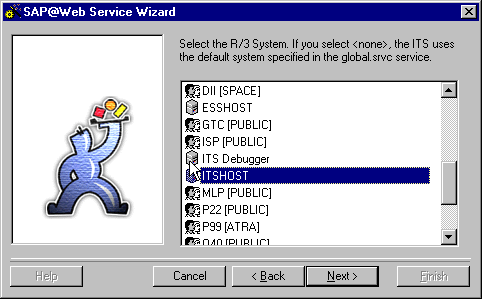
R/3 System to which you are connecting.
Target system type. The default is
Select this if you want to trace your communication protocol. |
Result
The SAP@Web Studio creates a service file called
<service>.srvc and displays it in the project workspace.You edit this service file with the
grid control editor. Remember that parameter values specified here always override the default parameter values in the global service file global.srvc .
The SAP@Web Studio does not automatically create a theme for your new service, and the service file does not contain a theme parameter.
However, the global service file
Therefore, when you create HTMLBusiness templates for your service, the SAP@Web Studio automatically proposes the default theme
99 .If you do not intend to use more than one theme for this service, you should accept the default setting. If you change this value, you must also change the value specified in the global service file
global.srvc .If you want to use more than one theme for a service, you must
create the themes explicitly