Defining Access Sequences
Defining Access Sequences
·
Select the appropriate activity from Customizing in the relevant application·
Use transaction NACE in expert mode. The following describes this alternative.The key is defined in message determination from the current values of the assigned application fields. The condition table is then read with this key. This is
table access.If the condition is met, then the system does not access the condition table. You can also define conditions in
Procedures.If access to a table indicated as exclusive was successful, then the system does not search any further for messages in the access sequence. Instead it continues with the next output type defined in the procedure.

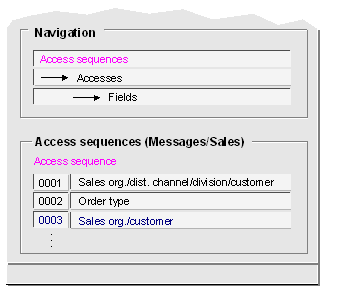
The following illustration shows access sequences for sales documents. Subsequent explanations will concern access sequence 0003 of this list.
The following illustration shows access sequence 0003 being used to access condition table 001. Here you define the accesses and their order in the access sequence.
The following illustration shows which fields are used to access the condition table. The sold-to party is transferred as the customer number (in contrast for example to the ship-to party). This partner function "sold-to party" is defined as the standard default value for the condition records of the output type order confirmation (BA00).