Message Processing
Message Processing
Use
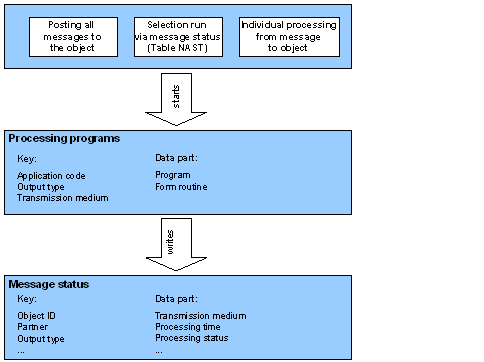
For output (for example EDI dispatch) the message found is processed. This involves, for example, formatting (for printing). The current status of message processing can be seen in message status. Processing time can be used to set when message processing should be triggered.
Features
The
Message status record (table NAST) contains information about when to start processing programs and which parameters are used. When the processing program has been called, a processing status is written. You can therefore obtain an overview of the processing status of the messages (or conditions) valid for this object on the basis of an application object. Subsequent processing Interface to processing programs Processing log Formatting SAPscript messages Formatting mails
Message Control scenario: Processing
The following diagram shows the various processing options: