 Selecting Work Processes
Selecting Work Processes
To select the work processes to be displayed:
Select Select process.
The following dialog box is displayed:
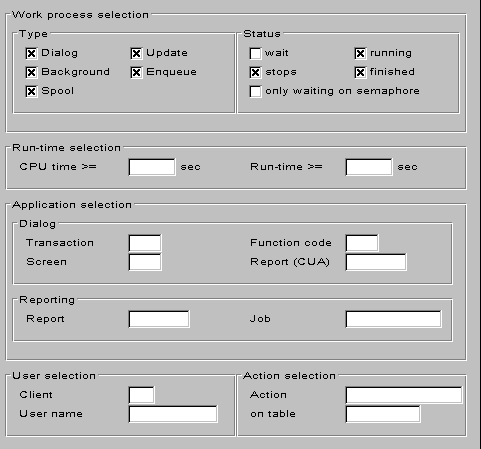
Select the work processes and statuses you want to know more about. You can also get information on specific programs and users.
Type
Choose the work process type.
Status
You can select the work process statuses you are interested in.
Runtime selection
Use this option to select long-running work processes.
Application selection
Use this option to select requests for specific R/3 transactions.
Reporting
Use this option to select specific ABAP/4 programs.
User selection
You can investigate potential specific causes of a problem. If you suspect that a particular user is blocking work processes, enter the name of the program or user, then select Continue to filter the information.
See also:
Work Process Load Monitor: Overview Detailed Work Process Information