 Profiles
Profiles
Purpose
SAP profiles are operating system files that contain instance setup information. SAP Systems can consist of one or more instances. Individual setup parameters can be customized to the requirements of each instance. These individual parameters allow you to configure:
Features
This profile file is structured as follows:
# This is a comment in a SAP profile:
Parametername1 = Value1
Parametername2 = Value2
Parameter names that logically belong together have a common root. For example, the root of parameters that control the dispatcher within an application server is:
rdisp/ .
The parameter
SAP profiles are stored in a special file directory. This directory can be made accessible from all hosts depending on current needs:
UNIX systems
: /usr/sap/<SID>/SYS/profileWindows NT systems:
\<SAPGLOBALHOST>\sapmnt\<SID>\sys\profile\(
<SID> = SAP system name and <SAPGLOBALHOST> = name of the NT machine on which the global profile directory is physically located)All hosts in an SAP System can access these profiles. It is possible for several R/3 instances to use a single profile simultaneously. Separate profiles are not required for each R/3 instance.
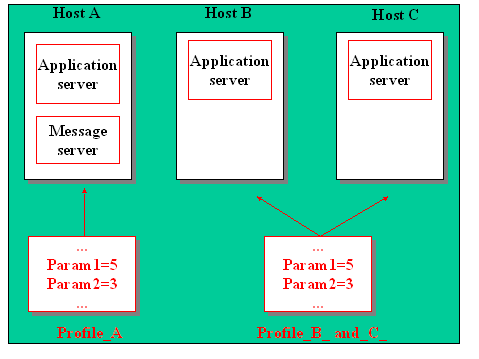

You should maintain setup profiles using the Computing Center Management System (CCMS). You should therefore not edit the active profiles directly at operating system level.
See also:
Substitute Variables in Profile Values Profile Maintenances Checking, Saving and Activating Profiles Start Profiles Default Profiles Instance Profiles