Example
 Example

Examples 2 and 3 show the automatic completion of the structure with the help of BOMs and the meaning of the Relevant for Configuration Management flag in the material master record.
Exit Situation
Customizing of the Life Cycle Phase
In Customizing the life cycle phase, in which the configuration folder can be found, you have entered BOM usage 2 (engineering/design).
BOM
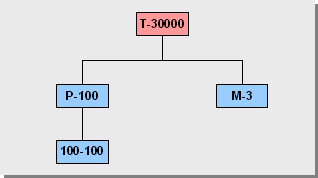
In plant 1000 you have created a BOM for turbine T-30000 with BOM usage 2 (engineering/design). At this point in time, this BOM has two items:
Pump P-100 is an assembly whose BOM only contains one item (spiral casing 100-100) at this point in time.
Multi-Level BOM for Turbine T-30000
Configuration Folder
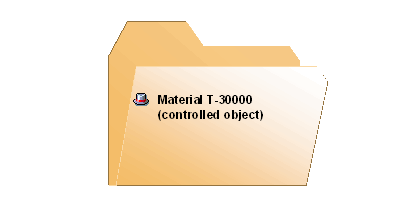
In the configuration folder you have simply entered the material T-30000 as a controlled object.
Material Master
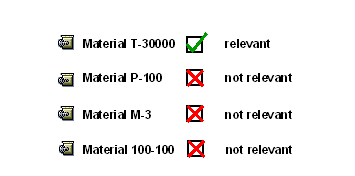
In the material master records, you have only flagged the controlled object as relevant.
Process Flow
The system fixes the material master record of the controlled object.
The system checks whether a BOM with usage 2 (engineering/design) exists for the controlled object. The system
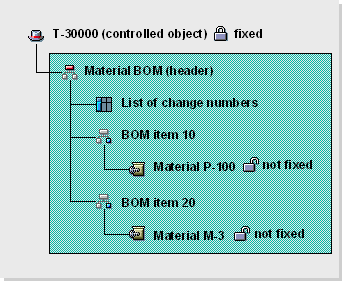
For each item, the system copies the relevant components into the Baseline (materials P-100 and M-3).
The system checks whether materials P-100 and M-3 are flagged as relevant. If this is not the case, then the system breaks off the search at this point. These materials are not fixed.
Result
The Baseline contains this structure: