 Editing Variation Ranges in Report Painter
Editing Variation Ranges in Report Painter
Use
You can edit variations of Report Painter reports in two ways:
Procedure
 . Variation.
 You can restrict the characteristic values further by assigning them from and to levels (variation range) using  .
.
Entries possible for the from level of the variation range and the resulting restrictions for the to level
From level |
To level |
Positive [>0] |
Greater/Less From level |
Negative [-1; -2] |
No entry |

The following example illustrates the variation range levels possible within a cost center hierarchy:
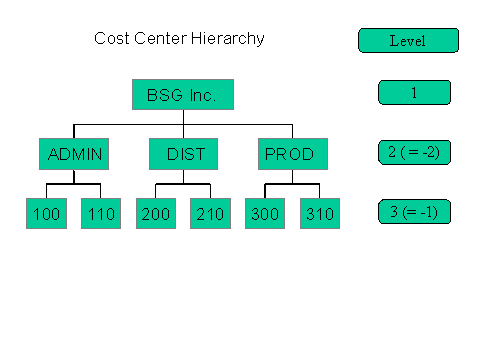
For more information, see Working with Variation Ranges in Report Painter.