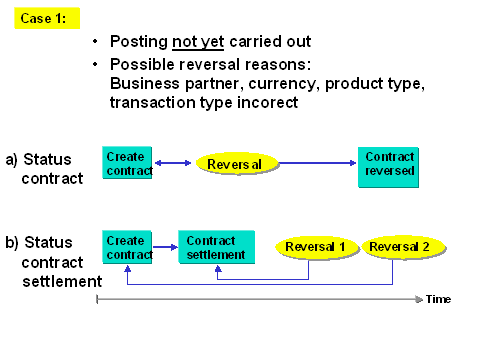
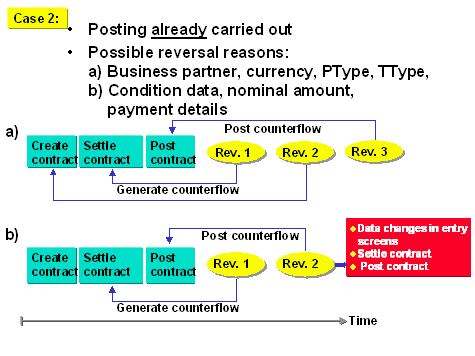
If you reverse a transaction, you reset the most recent change you made to the transaction, which is identified by the system as an activity.
If postings are linked to the reversed activity, they will be flagged for reversal.
The reversal function will reverse the last active activity and reactivate the previous activity.
When you reverse a contract that has been settled, you reverse in a contract that has not been settled and which you must settle. (Back office)
Documents which cannot be reversed automatically (for example, if they have been cleared in FI) must be processed manually. The flows are automatically flagged for reversal. The flows may need to be released prior to posting or reversing if you are working in release management.
Activities
Choose Reverse
This takes you to the Reverse ListedTransaction screen.
Enter a reversal reason in the corresponding field. You can enter the key for the reversal in the Reversal reason field. This documents the reason for a reverse posting. You define the permissible reversal reasons during system configuration. You will find more information in the IMG (Implementation Guide) under
 Reversal
 Define reversal reasons.