 Working with the Object Manager
Working with the Object Manager
Purpose
The
Object Manager provides users with intuitive and uniform navigation options when searching for and selecting objects across multiple components and transactions.In Training and Event Management the object manager is used in the transactions Book Attendance and Prebook Attendance to search for business event types for booking and prebooking purposes.
The user interface of these transactions is composed of a number of screen frames, each incorporating specific functions:
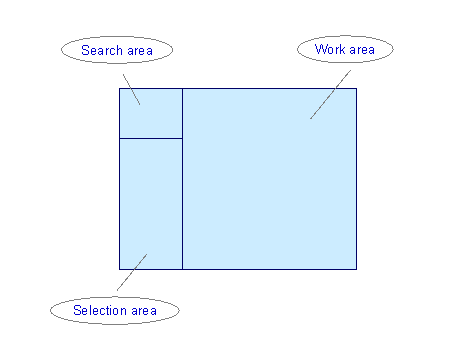
The search area and the selection area together make up the
Object Manager. The work area contains the various functions that you can execute for the objects you select. In Training and Event Management, you can execute the functions Book Attendance and Prebook Attendance there.
In the selection area, the system always calls the objects most recently edited, with a different key date, where relevant.
Process Flow
The following is a typical process flow: