 Step 1: Creating (the First) Archive Files
Step 1: Creating (the First) Archive Files
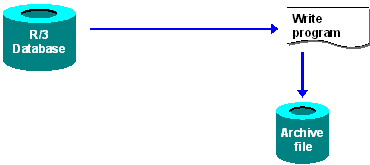
In step one, the archiving program creates an archive file. The data to be archived is then read from the database and is written to the archive file in the background. This process continues until one of following three events occurs:

If in cases 2 and 3 there is still data to be archived, the system will create another archive file.
If the event 2 or 3 occurs, then archive management continues with the delete step (assuming that the following checkboxes are flagged in archiving object-specific customizing: Start delete program automatically and Delete before storage).
Write Run Followed by Event
After all archive files have been completely created for an archiving session, the ADK triggers the system event SAP_ARCHIVING_WRITE_FINISHED. By reacting to this system event, you have the option of scheduling archiving jobs automatically. This includes the rebuilding of indexes or input help, archive file backup before deletion, and so on. The event parameter is the number of the archive session.
You can define new jobs in transaction SM36. You maintain events in transaction SM62.
For more information see
Creating Archive Files and Archiving Object-Specific Customizing