 Request Without Approval Requirement: Flow
Request Without Approval Requirement: Flow
Use
You want to apply for a business transaction (such as a service or change to data in the SAP System), or you are looking for a solution to a problem.
Prerequisites
You are working in the mySAP.com Workplace.
You have called up the
internal service request from your launchpad in the Workplace via Create internal service request.Flow
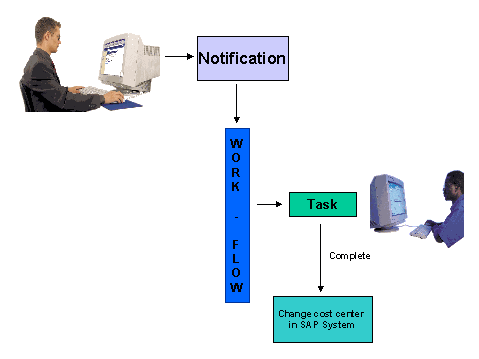
Activities
You are looking for a form suitable for your request.
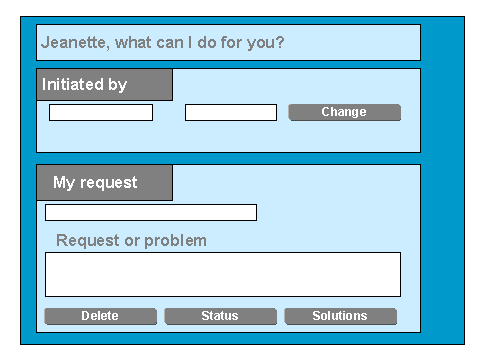
You select a suitable request or the system suggests a form when you enter a free text describing your request. The system uses a search engine to find you solutions to this problem. You do not need to restrict your text to key words when you enter it. The search engine does not just filter the text using the words, but also includes their grammar, and uses word families for the search.
The system calls up the selected request.
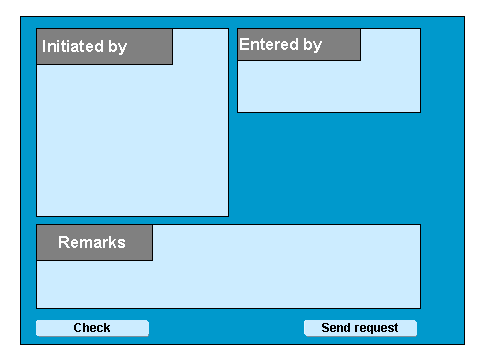
Example of a request form
The system has already provided the Entered by field with your data.
If required, you enter the initiator name (if you are making an entry for a colleague for example)
The form displays all the fields that are important for your requirements,
in which you make your entries.
If required, enter an explanatory free text.
Now you send the request, and
the system finds the correct processor for your request and informs that person.
You can check your request status at any time.
See also:
Processing Notifications Processing Tasks Status Query Example For Entering And Processing An Internal Service Request