
Highlighting Columns, Lines, and Cells
Simple Highlighting
Columns - Color
Lines - Color
Totals and Subtotals
Color
Horizontal Lines
Example
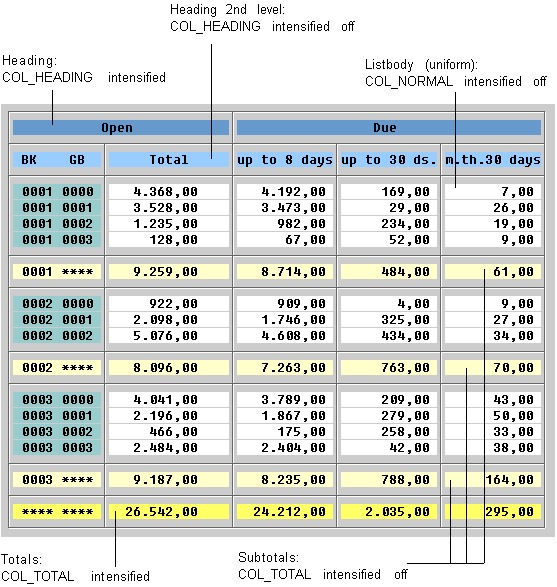
Different Subtotals and Totals
Vertical Lines
Identifying Totals of a Different Level (Symbols)
Highlighting Cells
Colors

The default settings for COL_POSITIVE and COL_NEGATIVE are predefined as shades of green and red.
Inserted Information
In some lists, you can choose a line and show its information in detail. Generally, a number of lines is "inserted" into the list to do this. This insertion can also be carried out on several levels.
Color
Flagging Inserted Information (Symbols)
Like totals, inserted information is flagged by symbols. To do this, you have to insert a column to hold this information. This allows you to distinguish inserted information on different levels.