General Design of One-Line Tables
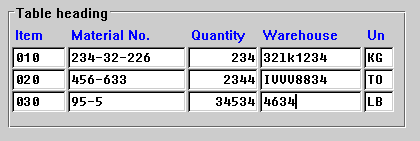
As with block groups, the table should have a heading. If the table appears in a group box, the heading is executed as a group heading.
If the table
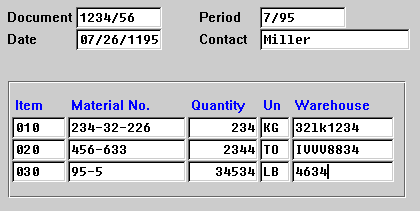
basically displays the contents of the template, you can also include the description of the table in the title bar of the template and convert the header line into a separator. If only the table is on the template, you can start with the column titles as of the first line of the work area of the template.Column Title
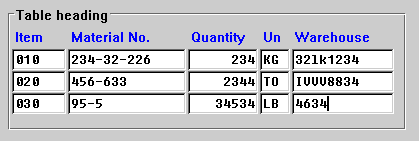
For every table column, there must be a column title, unless a particular column is closely related to the one preceding it (as in the case of a quantity unit or currency unit, for example). In such a case, you can omit the column title.
Column Spacing
Position the individual columns of the table right next to one another so that the recessed areas of the table fields form a uniform area.

With Header Line
Without Header Line
Arranging Columns
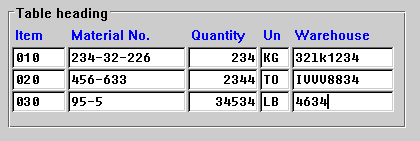
Make sure that during the normal filling of the columns with data, as few vertical gaps as possible appear in the table. These gaps can occur because columns whose values can be long but which are generally filled with short values appear in the middle of the table. Try to move these columns over to the right border of the table.
If the user has to compare two columns A and B with a column C, then you can place column C between A and B.
The same columns are to be found in both the good and the bad example, simply with a different arrangement in each case.
Good
Bad