You use a tab strip to
- structure complex applications and show the navigation supported within. Use a tab strip whenever different object components or logical views for one object exist for which navigation covers more than one screen. Such applications are usually characterized by constant screen areas such as header data and changing contents in the lower screen areas (see Fig. 1).
- present large screens and the navigation between the boxes in a different way.
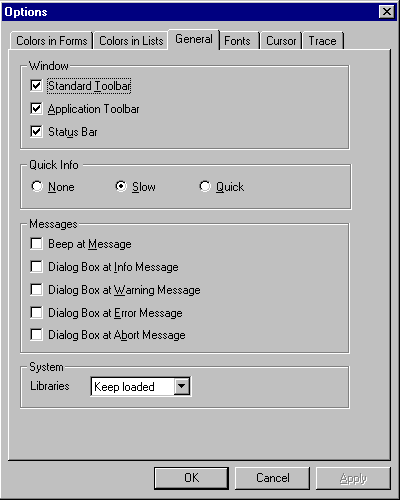
- display property sheets showing attributes of complex objects or applications. Usually, property sheets are displayed in dialog boxes.
 BILD
BILD
You must not use a tab strip if
- the use of the object components is designed as a stand-alone application or if the tab strip environment (menus, pushbuttons, header data, and so on) cannot be kept constant.
- a certain processing sequence is required. A tab strip allows the user free navigation among all object components which contradicts a mandatory sequence.
- the object components can be processed dynamically. This is the case if, for example, entering a value on one tab page unexpectedly produces new tab titles.
