
Arranging Several Block Groups on a Screen
Blank Lines Between Block Groups
There is no blank line before a group heading.

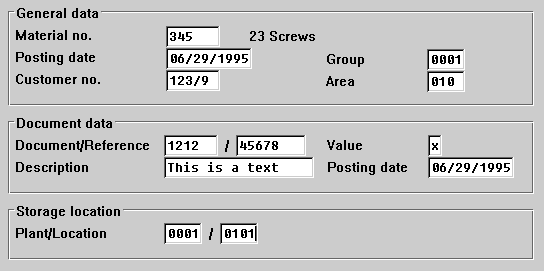
Aligning Field Names in Different Block Groups
The second or third block in block groups does not have to be aligned with the corresponding second or third block in an adjacent block group. You should first arrange the blocks optimally within each block group (see above, Arrangement of several blocks to form a block group), and only then define the spacing for the blocks in the two adjacent block groups. If the distance is less than five to seven characters, you can align the leftmost block with the right-hand block. Otherwise, leave the left block as it is.
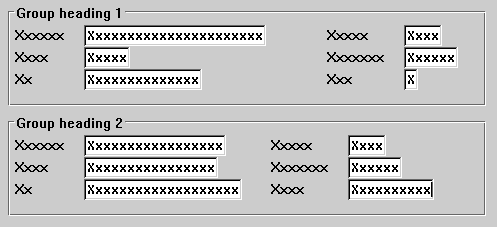
In this case, you should align the two right-hand blocks with each other to achieve a more harmonious overall arrangement. Result:
Good and optimized:
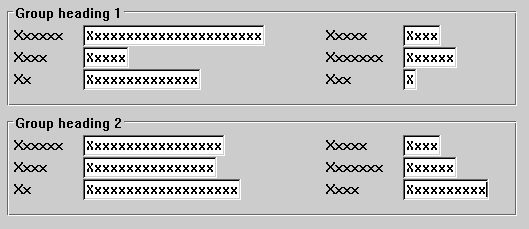
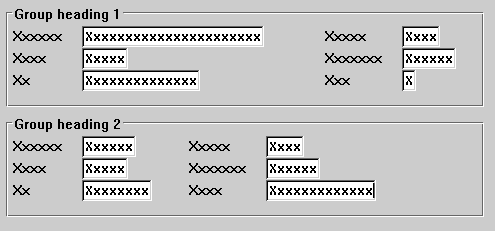
In this case, you should leave the lower right block close to the lower left block, rather than move it to the right to align it with the upper right block. As the following example shows, it is better to have the two groups close together:
Bad
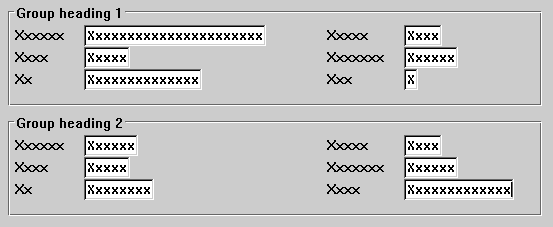
This guideline is a question of compromise between the spatial proximity of related data and alignments in the work area which give a more relaxed look to the entire screen.
Aligning Input/Output Fields in Different Block Groups
The above suggestion also applies to the positioning of input/output fields of various block groups.
Priorities
The alignment of I/O fields has priority over the alignment of field names.
This applies particularly to the leftmost blocks in the various block groups.
Do still try, however, to align both field names and input fields of the blocks in different block groups with each other.
Good
Bad
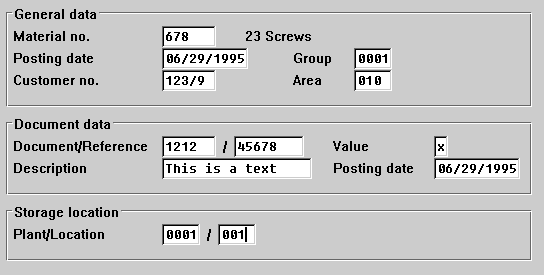
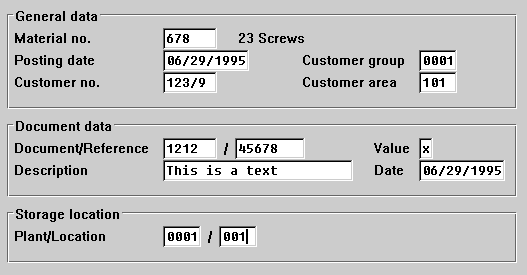
In this example, the groups of input field blocks and the field names are not vertically aligned.
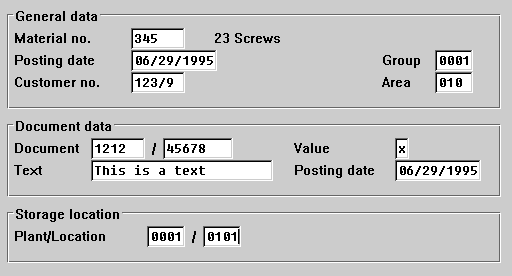
It is the input fields rather than the field names that should be aligned with one another, because the user (especially an experienced user) will tend to orient himself or herself "optically" towards the input values instead of the field names (which he or she already knows and therefore hardly reads consciously at all).
Maximum Number of Block Groups
You should have not more than three or four block groups on a screen.