
Pushbuttons in Dialog Boxes
The guidelines specified for data screens also apply to modal dialog boxes:
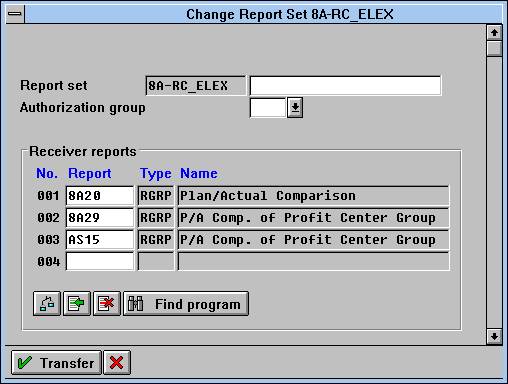
Functions which refer to the entire dialog box are in the application toolbar. Functions which refer to individual objects of the dialog box are to be implemented as pushbuttons with no fixed position.
No Application Toolbar
For the SAP standard dialog boxes of the dialog modules "POPUP_TO_..." (for example, confirm prompt), the application toolbar is not to be used. The following exception rule applies to these dialog boxes: The pushbuttons are not in the application toolbar and can be arranged vertically at the right border.
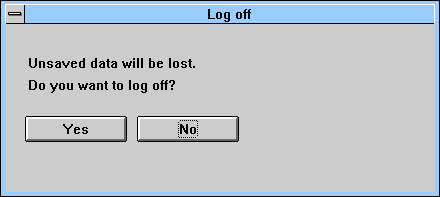
In SAP standard dialog boxes, the application toolbar is not to be used; the pushbuttons are arranged horizontally at the bottom.
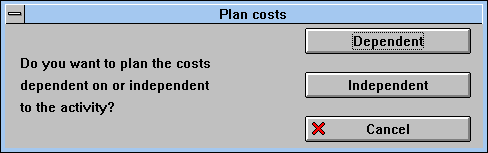
In SAP standard dialog boxes, the application toolbar is not to be used; the pushbuttons are arranged vertically to the right.

For information on how to use icons on pushbuttons in dialog boxes, please refer to