
Design Guidelines
The Checkbox Refers to Adjacent Input Fields and Cannot be Separated From the Context
Checkboxes are to be left-aligned with their input fields.
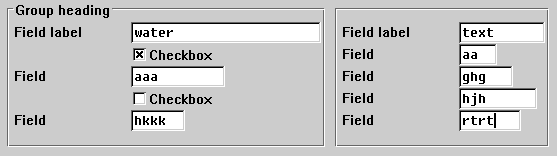
Left alignment of checkboxes
They can also be placed to the right of the reference field or to the right of one of the reference fields, separated by blanks. If several reference fields are available, the checkbox should be aligned with the bottom reference field. Groups of checkboxes on the right should be justified.
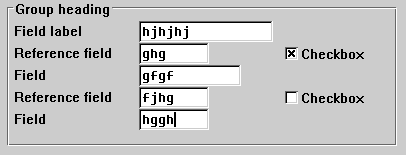
Checkboxes to the right of the reference field
If there is not enough room to implement one of the above designs: the symbol to the right, aligned with the above input fields. Names are left-aligned with the above field names (For technical restrictions, refer to the Technical Notes).
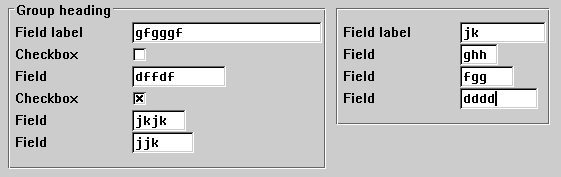
Checkboxes to the right of field names
The Checkbox Refers to Several Fields
Checkboxes which refer to several fields are to be left-aligned with the field names below the field group. You can insert a blank line between information groups (fields, radio buttons and checkboxes).
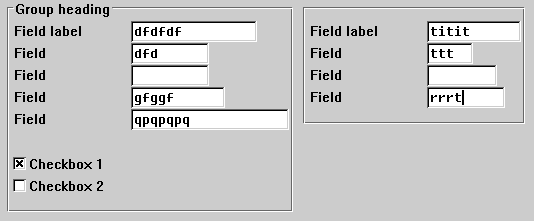
Checkboxes referring to several fields
The Checkboxes Represent a Separate Independent of Block Information
In this case, the checkboxes are to be placed as a separate group with or without surrounding box next to or below other blocks.
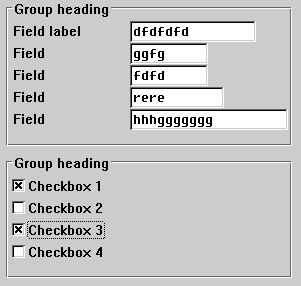
Checkboxes forming a separate information block
Sufficient Space Horizontally
If room is available horizontally but not vertically, you can position the checkboxes next to each other in one line. In this case, leave at least two blanks between the checkboxes.
You can write a name before the checkboxes, if required. Left-align the first checkbox with the input fields.
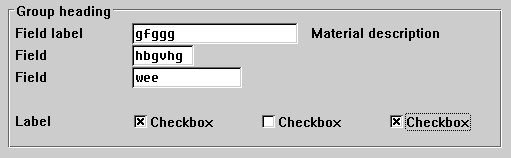
Horizontally arranged checkboxes with a name
If you do not use names, left-align the first checkbox with the field names.
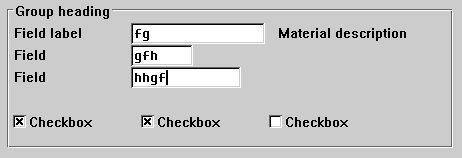
Horizontally arranged checkboxes without a name
