 Fixing Configurable Assemblies
Fixing Configurable Assemblies
Use
Fixing creates the actual order BOM. In other words, it creates an order-specific copy of an assembly. If an assembly is not fixed, the sales order refers to the super BOM.
You can fix assemblies by defining settings in the configuration profile or by interactively making manual changes when maintaining the BOM structure.
Prerequisites
Settings in the Configuration Profile and on the Result Screen
If you define the setting in the profile of the top-level configurable material, it is a default value. In other words, the root profile determines the default starting point for the result screen. The setting then has the same effect on all instances.
If you define the setting dynamically on the result screen, it also effects all instances. For example, if you want to fix instance 7, the current global setting applies (for example, selected assemblies).
Features
Depending on the type of fixing you select, all assemblies in the explosion can be fixed.
You can define the scope of order BOMs that are created.
The assemblies you select are fixed.
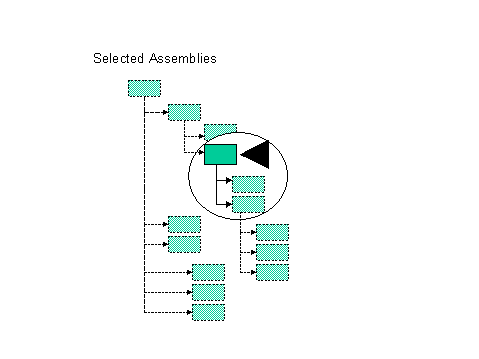
The assembly you select and the entire structure below it are copied, and can then be processed for a specific order.

Order BOMs are created for the assembly you select and all the assemblies in a direct path above it.

Activities
You fix assemblies on the result screen of the BOM explosion. From the bills of material menu, choose Order BOM
® Maintain (Multi-Level).In the structure in the configurator, you see an icon against the assemblies you fixed. Save the order BOM and open it again, and you see the icon in the configuration structure that shows that an order BOM exists.