 Translate Area Menu

Translate Area Menu
Use
You can create various language versions of an Area Menu simply in Area Menu maintenance.
Prerequisites
The Area Menu to be translated is in the current system.
Procedure
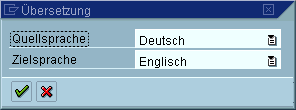
A list of all explanatory texts of activities in the Area Menu is displayed. The translation transaction functionality is the same as transaction
See also:
 Translating with the transaction SE63
Result
A new Area Menu language table is created. If you logon to the SAP System in the target language, this language version of the menu is displayed.