Basic Report
Basic Report
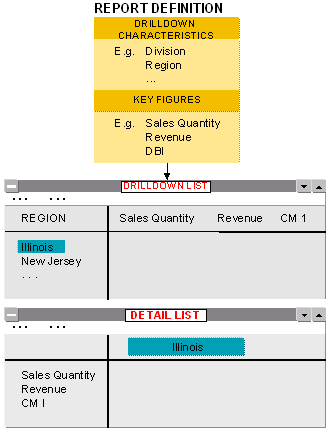
For basic reports, a form is not required. When defining a basic report, you choose the characteristics you want to report on. In addition to this, you choose the key figures you are interested in.
These key figures are placed in columns in the drilldown list. The rows contain all characteristic values of the expanded characteristics (here, the characteristic Region).
The detail list contains the key figures for the chosen object (here, the object Illinois).
Example: Basic Report