
Overview
The SAP Bar Chart Graphics program displays a table of events over a given time period and allows the online user to reschedule them.
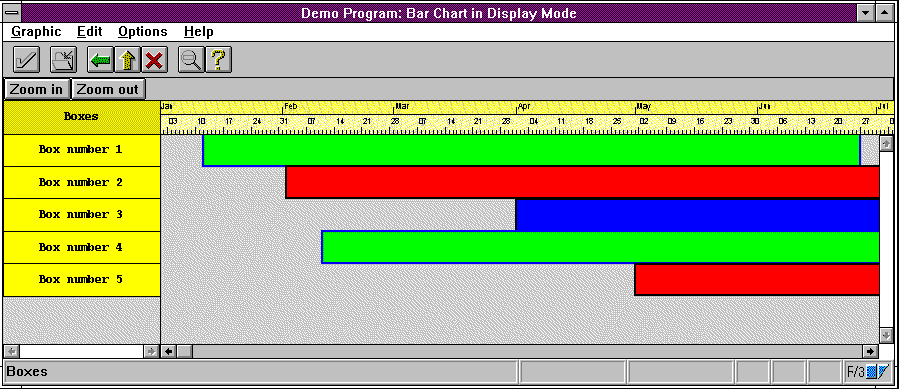
Apart from the standard elements (menu bar, symbols bar and pushbutton bar), the SAP Bar Chart Graphics window contains part of or all of the following elements:
The graph title is defined in the ABAP program that called the graphics program.
The time line sets the time span for the display areas.
You can display a maximum of eight bar charts in a graphics window. Each display contains a title which is defined in the calling ABAP program. You can resize the displays by dragging the dividing line between the displays.
Each display consists of the following elements:
For each display, the online user can choose one of the time units provided. The time span is set by the time line.
The tables section on the left contains the table heading and the table fields for each graph area. The online user can adjust the width of the colums. The online user can also change the width of the tables section and with it the width of the graph display area.
The graph display area contains objects (event blocks) depicting the duration of events. Each of the graph areas contains its own time units line within the limits of the time line. The online user can choose among a number of time units (day, week, etc.).
The standard pushbuttons in the pushbutton bar let you change the size of the graph display and the tables section.
The calling ABAP program determines which elements are to contained in the graphics window. You can define more menus with additional functions or leave out standard functions and symbols. For detailed information, see your application-specific SAP Bar Charts Graphics documentation.
For sample programs calling SAP Bar Chart Graphics, use transaction code gral in the R/3 System.