 Sending IDocs: External System to SAP System
Sending IDocs: External System to SAP System
The following diagram illustrates the program logic.
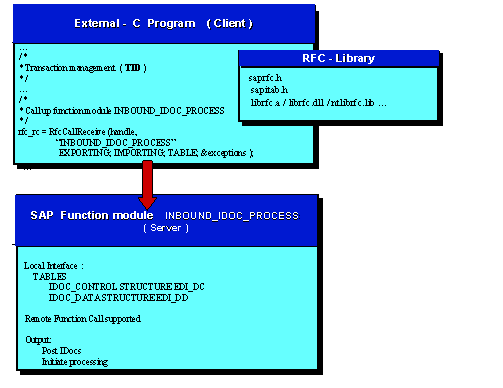
The calling, external program uses the following functions of the RFC Software Development Kit (RFC-SDK):
Using this call, the system sets up an RFC connection to the server system. You can define the logon to the SAP System, including the server name of the SAP destination system, SAP logon, user ID, and so on in the C program or in the file saprfc.ini.
As soon as the connection to the server system has been set up, you must call the two following functions for the tRFC in the client program:
The transaction ID that was created in the server system is determined with this call.
The RFC data, together with the TID, is transmitted to the server system with this call.
If there is an error, the client program repeats this call.
Here the system must use the old TID with the call RfcCreateTransID. Otherwise, it will not be guaranteed that the RFC function is executed only once in the R/3 System.
The transaction is completed after successful execution of this call. The calling program can then update its own TID administration data (for example, delete the TID entry).
For more information, refer to the documentation
 The RFC API or to the documentation of the RFC-SDK.
The useful data must be structured in the same way as the IDoc and placed in the internal table of the structure EDI_DD40 (EDI_DD before 4.0). The control record must be generated for each IDoc and placed in the internal table of the structure EDI_DC40 (EDI_DC before 4.0). The form in which the data is transferred is also described in detail in the documentation.