 Storing PC Files, and Documents Entered Using External Entry Dialogs
Storing PC Files, and Documents Entered Using External Entry Dialogs
In the two-step storing procedure, you should first define that the function Archive from frontend is made up of the following two steps:
In the following steps, you set up the procedure for the functions Store file on frontend and Store file from frontend.
After selecting the function Store from frontend and the document class, enter
ARCHIVELNK as the communication type. This means that the function Store from frontend is split up into the subfunctions Store file on frontend and Store file from frontend.Function Store file on frontend
This function is used to transfer the name of the file to be stored, to the R/3 System: The R/3 System finds out the name of the file currently being processed from a frontend application (absolute path incl. file name). The frontend application returns the absolute file name of the file currently being edited. Via the R/3 System, it is possible to transfer the variable archiv_id to the entry component to allow the entry component to carry out possible checks if, for example, archiv_id does not fit in with the entry component.
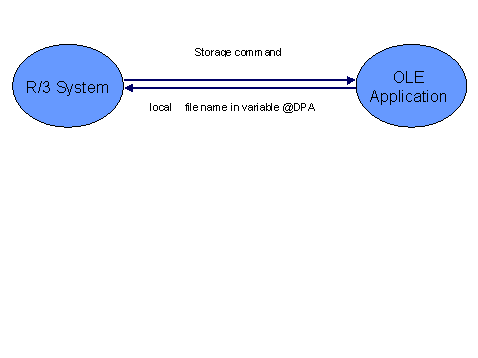
For the file resulting on the frontend, you must check whether the editing/creating application supports OLE Automation as a server. Examples of such applications are WinWord, MS Excel or internal scan dialogs that were certified for R/3 Release 3.0.
After selecting the function Store file on frontend and the document class, enter
If files that have not been edited/scanned/generated by an OLE-capable application are to be stored, you can enter the file name of the file to be stored in the R/3 System.
After selecting the function Store file on frontend and the document class, enter

Example of application maintenance for the function Store file on frontend
Microsoft Word 7.0 for Office 95 is used here as an example.
The OLE class name of the object used is "Word.basic".
The following calls are executed:
Method:
Method
FILESAVEAS C:\SAPFILEMethod
FILECLOSEFunction Store file from frontend
This function is used to store the file whose name was transferred to the R/3 System by the function Store file on frontend: The R/3 System transfers the absolute file name of the file determined in the function, to the application, requests the application to store and expects a unique ID for the stored document to be returned. Via the R/3 System, it is possible to transfer the variable archiv_id to the entry component to allow the entry component to carry out possible checks if, for example, archiv_id does not fit in with the entry component.
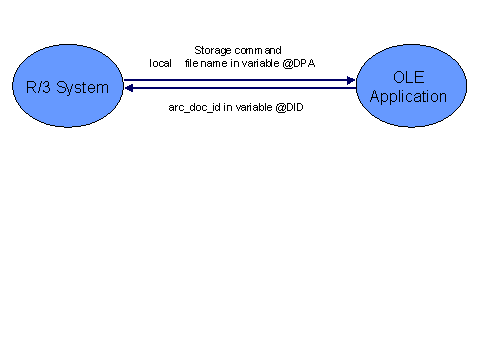
It is necessary to ask whether the frontend has an internal component that is capable of OLE and to which files can be transferred for storing.
After selecting the function Store file from frontend and the document class, enter
The file must be imported into the R/3 System, and stored via the application server. In this case, after selecting the function Store file from frontend and the document class, enter
ARCHIVELNK
TABLE