 The SAP Assistant Screen
The SAP Assistant Screen
The SAP Assistant screen area consists of the Browser window, which uses the
SAP Browser control to display the RFC and BAPI information.The following is the screen of the SAP Assistant:
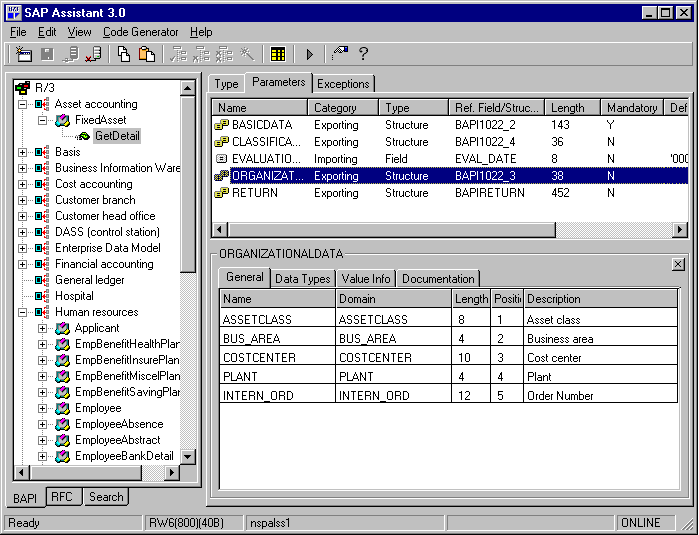
SAP Assistant Panes
As seen in the above screen, the SAP Assistant window is composed of three frames or panes. (which are the panes of the Browser within it):
There are four tabs in the Properties pane:
Tab |
Description |
General Info |
Shows basic information, such as the name, internal name, decimal position, and description of the field of the parameter displayed in the heading row. |
Data Types |
Shows the ABAP Type and the Dictionary Type of the parameter displayed in the heading row. |
Value Info |
Shows the check table of the parameter displayed in the heading row. If you are connected in online mode (you are logged onto an R/3 system), you can display the values in the check table by clicking on the check table name in the Value Info pane. The Check Table field in the Value Info tab then becomes a drop-down list containing the check table values. Also shows whether the parameter has fixed value. |
Documentation |
Provides a long text description of the selected item. A search function is also available in this tab. |
SAP Assistant Status Line
The status line in the SAP Assistant screen indicates the following: