Appearance for Different Configurations
Appearance for Different Configurations
The SAP Table Tree control may not only be used as a tree control: it can also act as an image list or a check list (not implemented yet). This results when you define a
structure in the Structures collection that has no hierarchy item. You omit hierarchy items by defining the control type as ‘Leafs only’ in design mode or by assigning the Type property a value of TreeTypeLeafs. All methods and properties for the control work similarly, with the exception of the Add and AddEx methods of the Nodes collection.Without having defined a hierarchy typed item, it is not possible to insert any child nodes and nodes of type
Folder. The functionality is reduced to one Nodes collection (the Table Tree object’s Nodes collection) that contains only leafs.
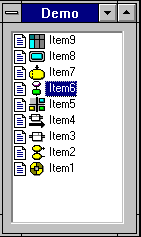
A control configured without hierarchy typed item, two image typed items and a text item would appear as follows:
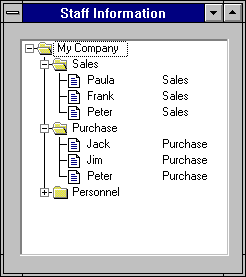
A control configured with hierarchy typed item, one image typed item and a text item would appear as follows:
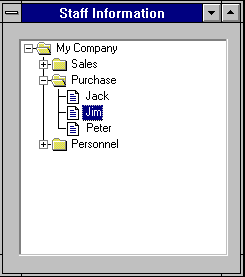
A control configured with hierarchy typed item, one image typed item, two text items and single item selection would appear as follows: