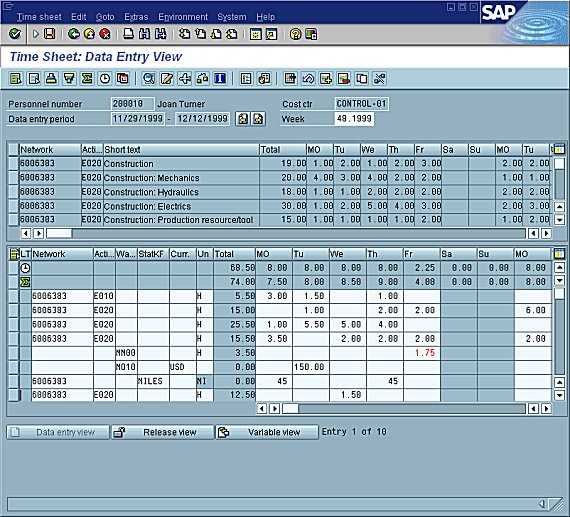
The following graphic depicts the Time Sheet’s data entry screen:
Under the title Time Sheet: Data Entry View is a toolbar, and, under that, information on the employee and the data entry period.
The worklist is under this information. In this example, the worklist consists of a header line, five information lines, and two scrollbars. You can copy the information from the worklist to the data entry section and thereby save yourself entering the data manually.
The data entry section is below the worklist. You enter your data in the white cells.
Pushbuttons for switching between the various time sheet views are at the bottom of the screen.
 The Data Entry Screen for the Time Sheet
 For more information, see: