Adding the Data Model to the Consumption Model 
After having created the Consumption Model (see Creating the Consumption Model) you now need to add the Data Model(s) to the Consumption Model. If you created a UC Data Model, you need to add this too.
In the navigation tree in the Object Navigator select Consumption Model ZSFLIGHT02_0001.
Right-click the Consumption Model and choose Add GW Data Model from the context menu.
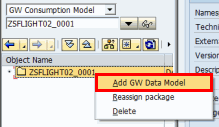 (Add Data Model)
In the Add Data Model window enter the model identifier ZSFLIGHT02_0001_PS or search for a Data Model via the input help. Then choose Continue (Enter).
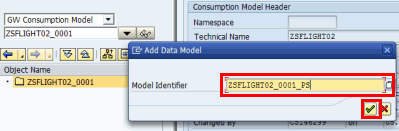 (Model identifier)
Optionally, repeat step 3 to add the UC Data Model ZSFLIGHT02_0001_UC.
Result
The Data Model has been added to the Consumption Model and is displayed in the navigation tree in the Object Navigator.
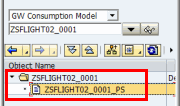 (Display Consumption Model with Data Model)
Proceed with checking the service.