
 Cannot Open Runtime

Problem Description
A process instance does not open. Clicking on a process instance or starting a new one does not open the process instance.
Decision Roadmap
Scenario Type: Error analysis
NetWeaver Component: CAF Guided Procedures (CAF-GP)
Validity: SAP NetWeaver 7.0 (2004s) SP Stack 04 and higher
Main Tools
Portal User Administration Console
Solution
1. To check the role settings for the user in the portal, log on to your portal as Administrator.
2. Choose User Administration.
3. Click Roles.
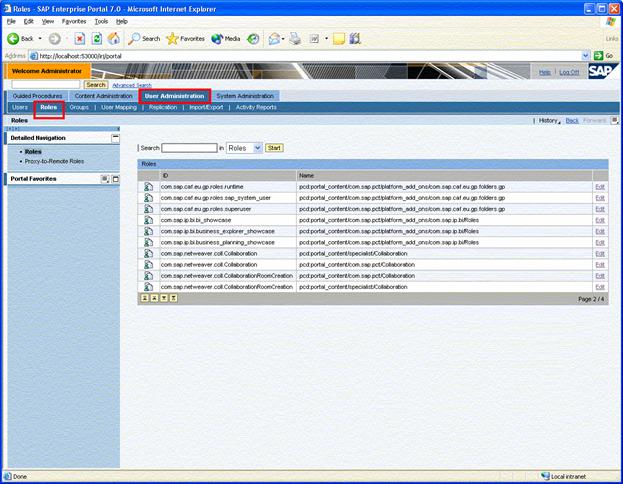
4. Check, whether the user is assigned to the role com.sap.caf.eu.gp.roles.runtime. If not, assign the user.