 Staging Scenarios with Persistent Data Storage

Staging Scenarios with Persistent Data Storage
In the following, staging scenarios are introduced, in which the data is stored on a medium-term basis.
1. Standard Scenario
Data flow:
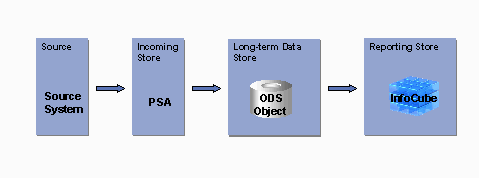
Usage:
The process of using the standard scenario corresponds to the basic recommended procedure for storing data in BW. In special cases, you can use the scenarios as described in the following.
2. Staging with ODS Objects without InfoCubes
Data flow:
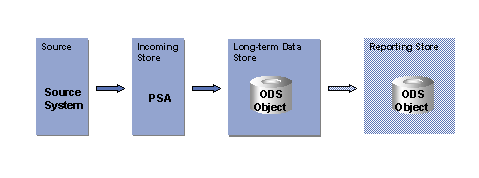
Usage:
Use the staging process for storing data in an ODS object without InfoCubes, when the transaction data is highly volatile and when there is a high demand for the changes made to reporting data already loaded to be permanently available. The status of documents must always be kept up-to-date. In turn, this requires the data, which is supported by the ODS object, to be overwritten.
This solution also makes it possible to use a second ODS object as storage for reporting.
As the ODS object data cannot be aggregated, this is not a good solution for reporting with mass data.
3. Staging without ODS Objects with InfoCubes
Data flow:
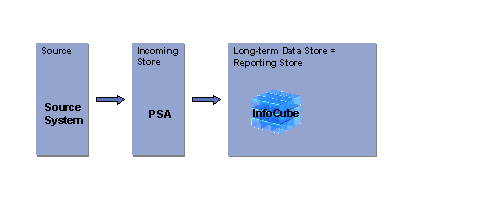
Usage:
Use a staging scenario without ODS levels if you can work without the advantages of an ODS object (cleansing, transforming, consolidating, integrating data from different processes, level of detail of information, durability of the data). This applies in particular if the system already guarantees the integrity of the data (CO-PA, General Ledger) and therefore works without saving the consolidated data explicitly in BW, or if the data is extracted from a single source system.
4. Further Processing from InfoCube to InfoCube
Data flow:
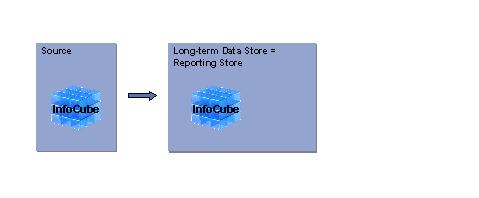
Usage:
This scenario is also known as a data mart scenario and is characterized by the data flow from InfoCube to InfoCube, which is possible within a BW System as well as between several systems. Data marts created like this offer better overview and dataset (snapshot) maintenance and allow you to separate the data according to task area.
You can also use this scenario if you want to change an InfoCube after it has already been loaded with data.
We recommend you use a data mart scenario between two different BW Systems, if you are processing a large amount of data. On the one hand it gives you better performance, on the other, the BWs remain more visible. In this way, you can separate the data according to task area. You also have the option of creating hub and spoke scenarios, which have a central BW where the data from distributed systems runs together and is standardized. This is where the data is made available for data marts.
5. ODS Server and BW Server
Data flow:
Usage:
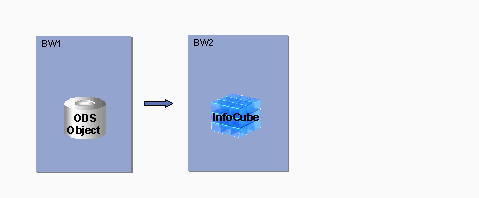
You have the option of using a BW server as the source BW and a BW server (target BW) for reporting. For this scenario, you need to use a BW server as the source BW, where the data is cleansed and updated in a complex process.
The source BW collects the data from the OLTP. It also cleanses and consolidates the data when it is updated into ODS objects. There is a central data entry here, which is also an ODS server. As a further process, the data is then replicated into the target BW in InfoCubes through the data mart interface. Reporting can take place once the master data has been uploaded.