Chart
Definition
A control to visualize data in annotated diagrams.
-
axisMaxVal
Used to calculate the annotation and scaling of the chart. 'axisMaxVal' specifies the maximum value the axis is annotated with. If 'axisMaxVal' is not specified or a value is specified that is less than the maximum value provided by he model, 'axisMaxVal' is set to the maximum value of the model.
-
axisMinVal
Used to calculate the annotation and scaling of the chart. 'axisMinVal' specifies the minimum value of the axis. If 'axisMinVal' is not specified or a value is specified that is greater than the minimum value provided by he model, 'axisMinVal' is set to 0.
-
chartType
Controls the style in which the data is displayed.
-
AREA

-
AREA3D

-
AREA_STACKED

-
AREA_STACKED_3D

-
BARS

-
BARS_3D

-
BARS_STACKED

-
BARS_STACKED_3D

-
BITMAP

-
COLUMNS

-
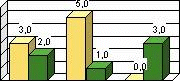
COLUMNS_3D
-
COLUMNS_STACKED

-
COLUMNS_STACKED_3D

-
LINES

-
LINES_3D

-
PIE

-
PIE_3D

-
PIE_EX

-
PIE_EX_3D

-
PIE_SPLIT

-
PYRAMID

-
TREND

-
-
colorOrder
The various types of the chart control all use the same set of colors to visualize the values of a data set, but explore the space of possible colors on different paths. The following pictures show the three predefined color schemes and the chart types using them.
-
STRAIGHT
This color scheme is used by the various area, column and bar chart graphs.

-
SNAKE
This color scheme is used by the pie chart graphs.

-
REVERSE
This color scheme is used by the line chart graphs.

-
-
displayObjectValues
A boolean value that controls if the values is displayed with the object.
displayObjectValues="false"

displayObjectValues="true"

Not all 'ChartType' settings support the display of values. The example pictures in the 'chartType' attribute description show which types support the display of values.
-
height
Defines the overall height of the chart. The height includes the 'title', 'titleValues' and 'legendPosition'.
-
id
Identification name of the chart.
-
legendPosition
Controls the position of the legend.
-
EAST
Places the legend on the right side of the chart.
-
NONE
The legend will be suppressed.
-
NORTH
Places the legend on top of the chart.
-
SOUTH
Places the legend under the chart.
-
WEST
Places the legend left of the chart.
-
-
model
Defines the model which provides the chart with data. How to work with the IChartModel.
-
title
Specifies the headline of the chart.
-
titleCategories
Specifies the axis title for the categories.
-
titleValues
Specifies the axis title for the values.
-
visible
A boolean value that defines if the chart is visible.
-
voidValue
Defines a value that will not be drawn in the chart. Is a "voidValue" set, for example to 0, chart objects with the according voidValue will not be drawn.
-
voidValueSet
Switches the "voidValue" function on and off.
-
width
Defines the width of the chart. The width include 'titleCategories' and the 'legendPosition'.
|
Attributes |
M |
Values |
Usage |
|
axisMaxVal |
Numeric |
Taglib axisMaxVal="2000" Classlib setAxisMaxVal(2000) |
|
|
axisMinVal |
Numeric |
Taglib axisMinVal="100" Classlib setAxisMinVal(100) |
|
|
chartType |
AREA AREA_3D AREA_STACKED AREA_STACKED_3D BARS BARS_3D (d) BARS_STACKED BARS_STACKED_3D BITMAP COLUMNS COLUMNS_3D COLUMNS_STACKED COLUMNS_STACKED_3D LINES LINES_3D PIE PIE_3D PIE_EX PIE_EX_3D PIE_SPLIT PYRAMID TREND |
Taglib chartType="PIE" Classlib setChartType(ChartType.PIE) |
|
|
colorOrder |
DEFAULT (d) STRAIGHT REVERSE SNAKE |
Taglib colorOrder="SNAKE" Classlib setColorOrder (ChartColorOrder.SNAKE) |
|
|
displayObjectValues |
FALSE (d) TRUE |
Taglib displayObjectValues="TRUE" Classlib setDisplayObjectValues(true) |
|
|
height |
Unit (200) |
Taglib height="300" Classlib setHeight("300") |
|
|
id |
* |
String (cs) |
Taglib id="VacationPlanner" Classlib setId("VacationPlanner") |
|
legendPosition |
EAST NONE NORTH SOUTH WEST |
Taglib legendPosition="SOUTH" Classlib setLegendPosition (ChartLegendPosition.SOUTH) |
|
|
model |
Component |
Taglib model=" myBean.model " Classlib setModel(( IChartModel ) model) |
|
|
title |
String |
Taglib title="Bill board chart" Classlib setTitle("Bill board chart") |
|
|
titleCategories |
String |
Taglib titleCategories="Brand" Classlib setTitleCategories("Brand") |
|
|
titleValues |
String |
Taglib titleValues("Overview") Classlib setTitleValues("Overview") |
|
|
visible |
FALSE TRUE (d) |
Taglib visible="FALSE" Classlib setVisible(false) |
|
|
voidValue |
Numeric - Double |
Taglib no tag available Classlib setVoidValue(10.5) |
|
|
voidValueSet |
FALSE TRUE (d) |
Taglib no tag available Classlib setVoidValueSet(false) |
|
|
width |
Unit (500) |
Taglib width="400" Classlib setWidth("400") |
Example
using the taglib
    <hbj:chart
           id="myChart1"
           model="myChartBean.model"
           visible="true"
           displayObjectValues="true"
           titleCategories="Company"
           titleValues="Turnover"
           title="Washers by Companies!"
           chartType="BARS_3D"
           legendPosition="EAST"
           colorOrder="STRAIGHT"
    />
using the classlib. For information about setting up the bean, see " IChartModel ".
    Form form = (Form)this.getForm();
    Chart myChart = new Chart();
    myChart.setVisible(true);
    myChart.setDisplayObjectValues(true);
    myChart.setTitleCategories("Company");
    myChart.setTitleValues("Turnover");
    myChart.setTitle("Washers by Companies!");
    myChart.setChartType(ChartType.BARS_3D);
    myChart.setLegendPosition(ChartLegendPosition.EAST);
    myChart.setColorOrder(ChartColorOrder.STRAIGHT);

    MyVecBean myVecBean = new MyVecBean();
    IChartModel chartModel = myVecBean.getModel();
    myChart.setModel(chartModel);
    form.addComponent(myChart);
Result
