Version ADT 2.31
Here is an overview of the most significant changes in the context of CDS view building tools that relate to the:
- Back end: SAP NetWeaver Release 7.40 SP08
- Client: ABAP Development Tools (ADT) 2.31
Additions and Changes for ABAP CDS Language
More on this: ABAP CDS in Release 7.40, SP08
CDS Data Preview
Previewing Result Set of a CDS View
The new Data Preview tool provides you with test environment so that you can verify the output (result set) of a CDS view.
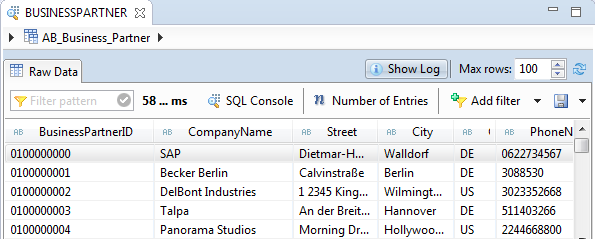
More on this: Previewing Data Records
Previewing Result Set of Associations
The Data Preview tool allows you to display the result set for of an associated CDS view.
More on this: Working with Associations in the CDS Data Preview
SQL Console
You can use the SQL Console tool to write an SQL statement and analyze the query performance. It enables you to execute arbitrary SELECT statements on the database without writing any ABAP report.

More on this: Working with SQL Console