Add a Service Channel to the SAP BW Bridge Tenant in the Cloud Connector
The on-premise source system must be able to call the SAP BW bridge tenant via RFC. Therefore, a service channel must be added in the Cloud Connector.
Procedure
Log in to the Cloud Connector application.
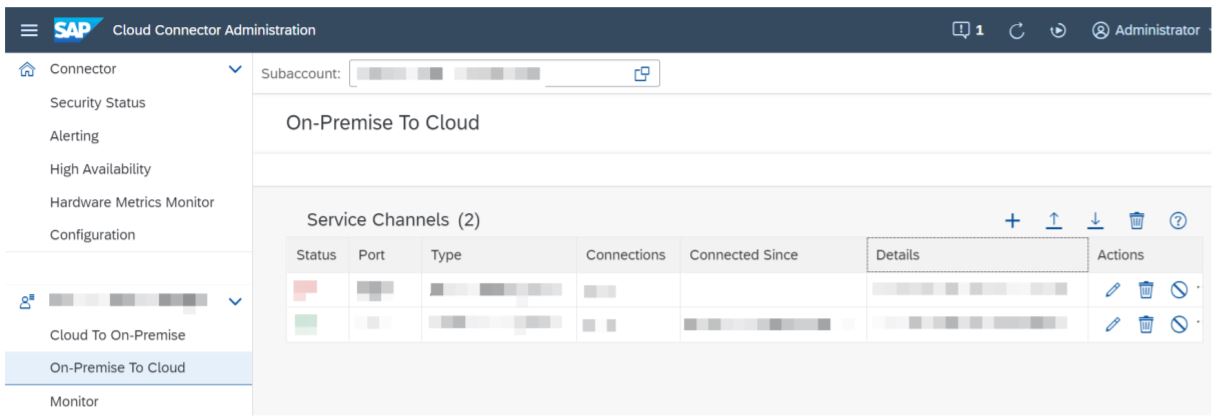
In the left-side menu of the administration UI, select On-Premise To Cloud.
In the Subaccount field, choose the subaccount of your SAP Datasphere tenant.
In the Service Channels section, click (Add) to add a new service channel.
In the Add Service Channel dialog, use the following values:
Type: ABAP Cloud System
ABAP Cloud Tenant Host: For SAP BTP ABAP based systems like SAP BW bridge, the tenant host is <serviceinstanceguid>.abap.<region>.hana.ondemand.com (Note that this is not the frontend address with the abap-web subdomain). The region is, for example, eu10 or us10.
To retrieve the host name:
Log on to SAP Datasphere.
From the side navigation, choose Space Management.
Select the space BW Bridge.
Navigate to the section Connections.
Mark the local connection BWBRIDGE and choose Edit.
Under HTTP Access copy the host name to the clipboard (without https://).
In the same dialog window, define the Local Instance Number under which the SAP BW bridge system is reachable for the source system(s). You can enter any instance number between 00 and 99 for which the port is not used yet on the Cloud Connector host. The port numbers result from the following pattern:
33<Local Instance Number>
The <Local Instance Number> will later be used when maintaining the RFC destination in the on-premise source system pointing to the SAP BW bridge system (i.e. in the so-called callback destination).
Leave Connections set to 1.
Leave Enabled selected to establish the channel immediately after choosing Finish. Unselect it if you don't want to establish the channel immediately.
Select Finish.
Results
You have declared the SAP BW bridge tenant in the Cloud Connector. Its Status should be shown as (Service channel is enabled).
 (Service channel is enabled).
