Audit Query
The following example shows how to define an input-ready query and the corresponding audit query. You can either execute an audit query in a way that allows to you to track the changes, or in a way that allows you to view the delta values.
Changes in Input-Ready Query ZTSC0A431_Q_INVFORML_01 (With and Without Audit)
In the following example, the user started by writing values to an InfoCube (using an input-ready query) without an audit dimension.
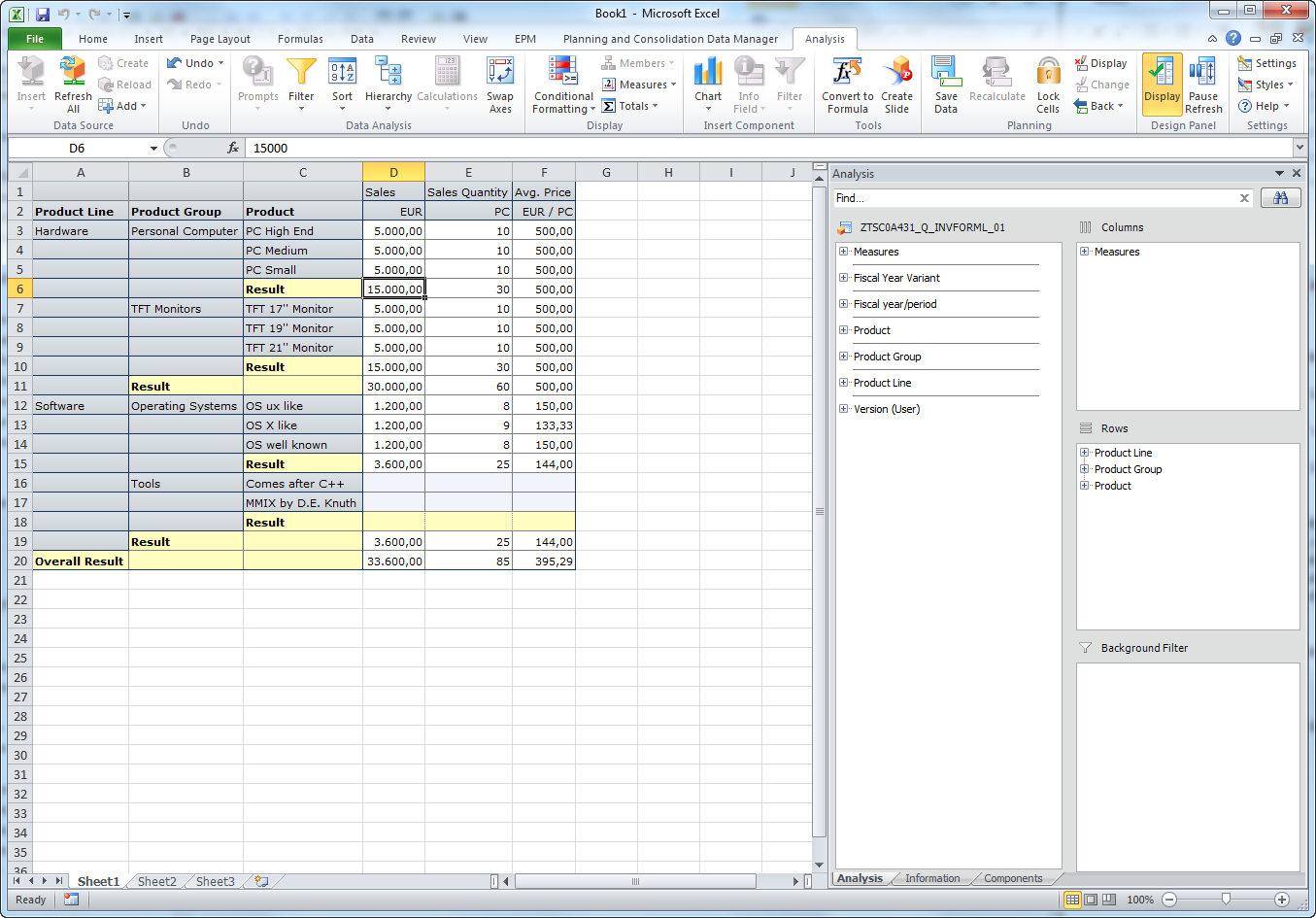
The following screen shows the executed query:
The user then set the flag for using the audit dimension in the InfoCube in the InfoCube maintenance screen.
- Subtotal Hardware, Personal Computer: the value of Sales Quantity was changed from 30 to 60.
- Subtotal Hardware, Personal Computer: the value of Sales was changed from 15,000 to 20,000.
- Subtotal Hardware, Personal Computer: the value of Sales Quantity was changed from 60 to 120 and the value of Sales was changed from 20,000 to 30,000.
The following screen shows the executed query after the changes:

Definition of Audit Query ZTSC0T043_Q_AUDIT_00
Usually the audit query is created on the InfoProvider that acts as the basis of the aggregation level, which is used for the input-ready query. We recommend that you build the audit query in the same way as the input-ready query. All characteristics of the audit dimension should also be available as free characteristics however.
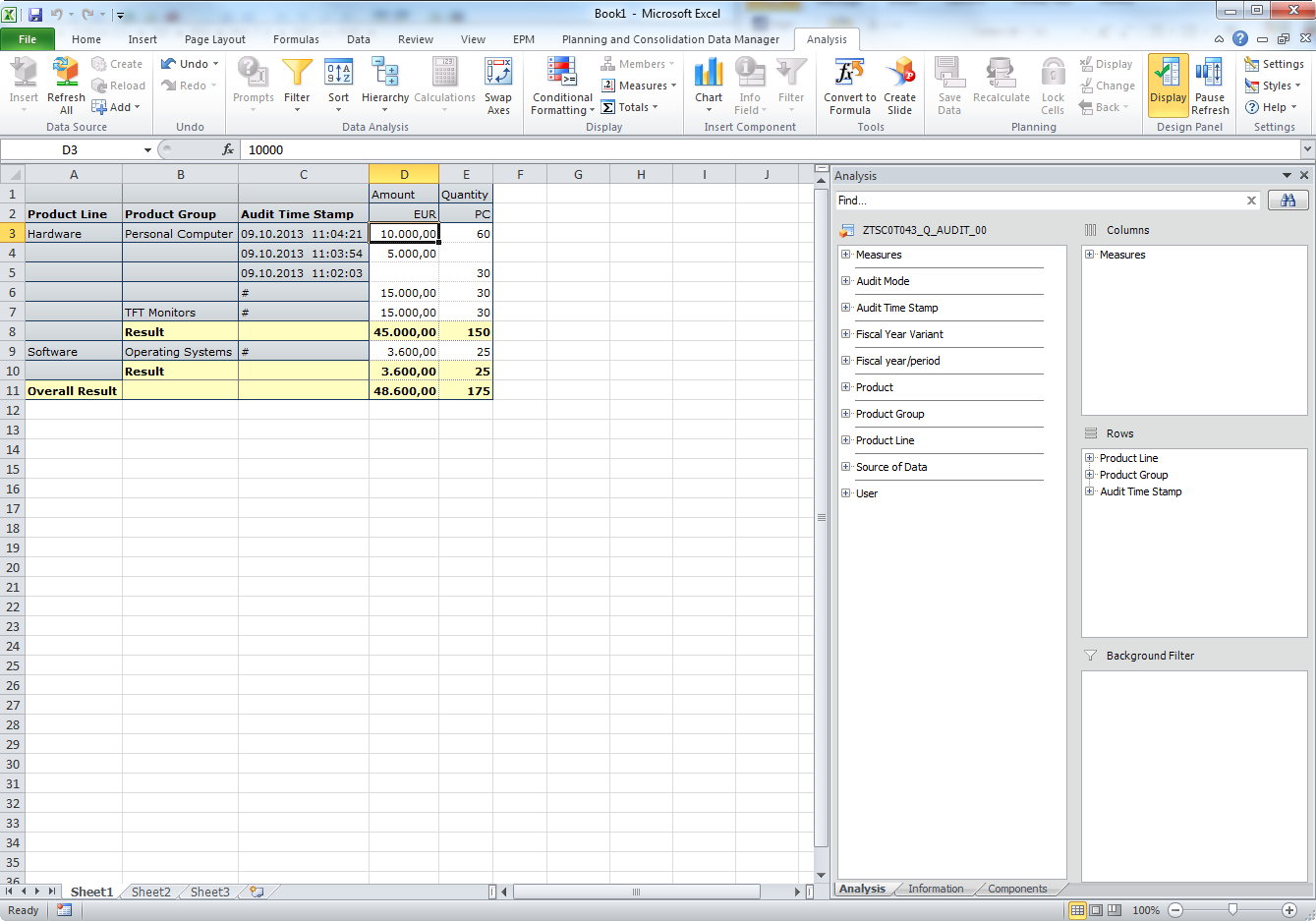
In our example, the characteristic, Audit Time Stamp( 0ATIMSTMP) is drilled down in the rows. The characteristic Product is removed from the rows, which makes it easier to track changes to the subtotal.
The following screen shows the definition of the audit query:

Executing the Audit Query ZTSC0T043_Q_AUDIT_00
When you execute the audit query, you see the following result: Using characteristic 0ATIMSTMP, you can track which values have been changed by the user of the input-ready query; you need to use property Display Cumulative Values for characteristic 0ATIMSTMP in the query definition.
The following screen shows the executed query with the changes:

If the audit query is executed with the property display non-cumulative values for characteristic 0ATIMSTMP, you can track the changes (delta values).
The following screen shows the executed query with the delta values: