Match Capture Operator
The Match capture operator allows you to find a string on a screen using regular expressions, making it useful for identifying specific patterns or text elements in a user interface.
You must enter a regular expression in the Value field. This regular expression must respect the POSIX Basic Regular Expression syntax.
You must enter your regular expression without adding any specific delimiting characters.
Please note that the regular expression pattern of the Match operator is case-insensitive.
Example 1: calculat.r
For example, you can enter calculat.r in the Value field to detect all buttons that have a name containing these characters.


You can notice that three buttons with a matching name have been detected.
Example 2: \d
You can also enter \d to find text elements that have a value containing digits.
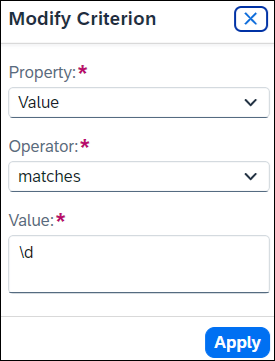

You can notice that 12 texts with a matching value have been detected.