Executing Checks in the Test System
Prerequisites
- The code information extract from the remote source system has been successfully exported (RFC option) or uploaded into your test system.
Procedure
- In your test system, launch the Code Inspector (transaction code SCI).
- Create a new object set based on the code information extract from the remote source system.
- Use F4 value help for the Object Collector field.
Selecting the object collector Remote Objects

- Select the relevant entry in the list that appears and choose Continue.
Selecting the RFC extract when using the RFC option
 Selecting the remote object entry when using the upload option
- In the next screen, leave the other filter settings unchanged and choose Execute or press F8 to create the object set.
Remote Objects in the Code Inspector tool

- Use F4 value help for the Object Collector field.
Results
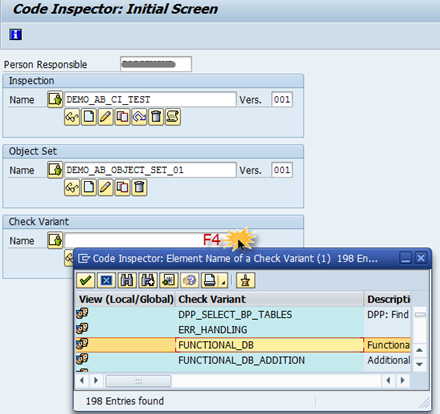
Using this object set, you can now assign the check variant of your interest choice to the inspection and then execute the Code Inspector checks.
See also: ABAP Test Cockpit and Code Inspector in Context of HANA Migration