Use a Regular Expression
Using a regular search expression to extract a string from the page or specific page area defined by filters, will return the first match found. It also supports the use of capturing groups in the regular expression. If a capturing group was used, the first capturing group is returned as a result.
Sample PDF area
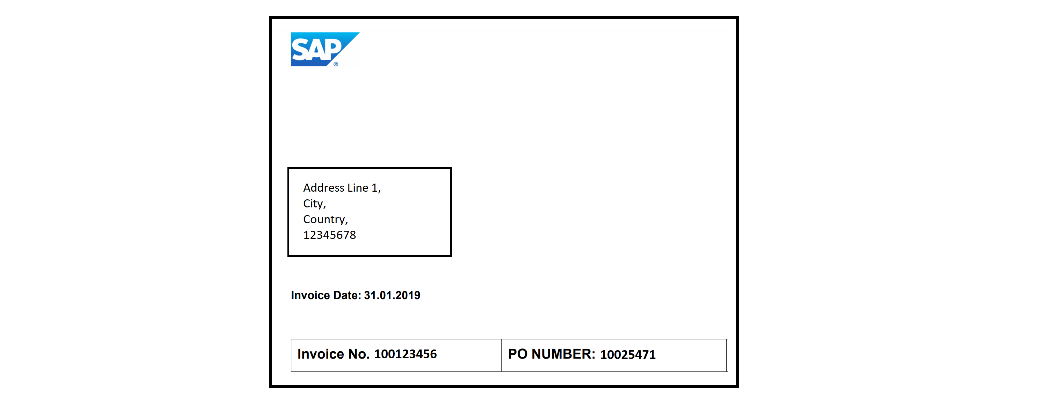
In the above PDF sample, Extract Text with Regular Expression could be used to extract the Invoice Number.
Activity 1

Expression: Invoice No. ([0-9]+)
Output: 100123456
The second part of the expression is surrounded by parentheses, marking a capturing group. As a result, only the string that meets the criteria and comes after "Invoice No. " is returned.
Activity 2

Expression: Invoice No. [A-Z0-9]+
Output: Invoice No. 100123456
In this example, the parentheses are omitted in the regular expression. So, the entire matching string is returned.
Sample PDF area

In the above PDF sample, Extract Text with Regular Expression could be used to extract the field Your VAT Registration no.
Activity 1

Expression: VAT Registration no.: ([A-Z0-9]+)
Output: NW12345HG01