Publishing Diagrams in SAP Signavio Process Collaboration Hub
Every modeler who has the access rights for publishing a diagram can publish it in SAP Signavio Process Collaboration Hub. You can also define and use approval workflows to publish diagrams. Read about this in the section Approval workflows.
Apart from diagrams, pictures and files stored in your SAP Signavio file storage can be made available in SAP Signavio Process Collaboration Hub too. Publishing those files is similar to publishing diagrams. Depending on your configuration settings, you might need to explicitly publish dictionary entries. Read more about publishing dictionary entries in the section Publishing dictionary entries.
To publish a diagram, proceed as follows:
-
In the menu bar, choose Share then Publish to SAP Signavio Process Collaboration Hub.
-
In the dialog, select the diagrams you want to publish. You can publish up to 1024 diagrams at once.
-
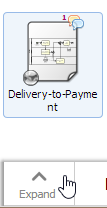
To publish an older revision of the diagram or to revert changes of a published diagram, use the activity feed of the diagram. Select a diagram and choose Expand in the lower left corner of the explorer. Alternatively, you can select the space bar on your keyboard.
-
In case the feed tab is not opened by default, choose Feed button.

-
In the activity feed, select the revision you want to publish.

-
Choose Publish revision.
-
Confirm in the dialog. Your diagram is published to SAP Signavio Process Collaboration Hub.
Revoke a Published Diagram
-
Select the diagrams you want to unpublish.
-
Choose Share and then Unpublish from SAP Signavio Process Collaboration Hub . The selected diagrams are now unpublished.
To revoke a single published diagram, you can also use its activity feed.
-
Select a diagram and choose Expand in the lower left corner of the explorer. Alternatively, you can hit the space bar on your keyboard.
-
In case the feed tab is not opened by default, choose Feed.
-
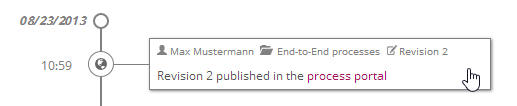
Select the publish event in the activity feed.
-
Choose Unpublish:

The diagram is no longer available in SAP Signavio Process Collaboration Hub.
Opening a Diagram's Published Revision
It is often useful to know what the published version of a particular diagram looks like in SAP Signavio Process Collaboration Hub. To find this out, select the diagram in the explorer and select Share - Open published version.