Integrating customer journey maps into your process landscape
In customer journey map diagrams, touchpoints (see section Touchpoint ) depict interaction points between your organization and your (potential) customers. In other words, touchpoint elements are entry points to your process and application landscape. When creating touchpoints in customer journey maps, you should reference the business process diagrams, roles and/or IT systems that are involved in the corresponding customer interaction.
Creating custom attributes for the touchpoint element
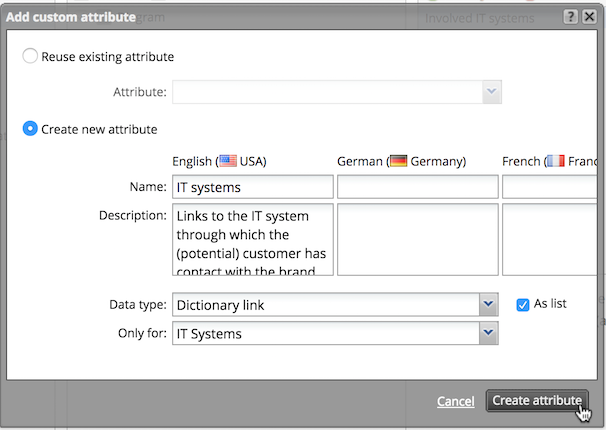
To allow referencing process diagrams and - in the form of dictionary entries - roles and IT systems, create a set of custom attributes for the touchpoint element type (see section Add and manage custom attributes). We recommend creating the following custom attributes:
|
Name |
Description |
Type |
As list? |
|---|---|---|---|
|
Process links |
Links to the business processes the customer triggers/interacts with |
Diagram link |
X |
|
IT systems |
Links to the IT systems through which the (potential) customer has contact with the brand or organization |
Dictionary link (Category: IT systems) |
X |
|
Roles |
Links to the roles through which the (potential) customer has contact with the brand or organization |
Dictionary link (Category: organizational units) |
X |
Referencing diagrams and dictionary entries at touchpoint elements
To reference a diagram or dictionary entry at a touchpoint, select the touchpoint element in the Editor and open the attribute panel. Select the attribute you want to edit - for example Process links - and add the reference:
