Creating a Content Model
Procedure
To create a content model, first choose the menu  Workbench
  Create Model Object
 or the symbol Create Model Object.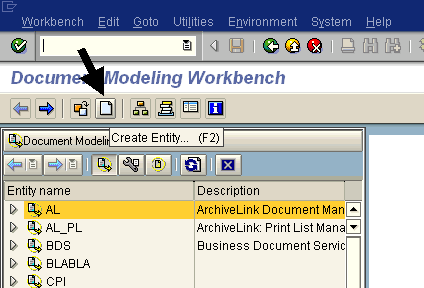
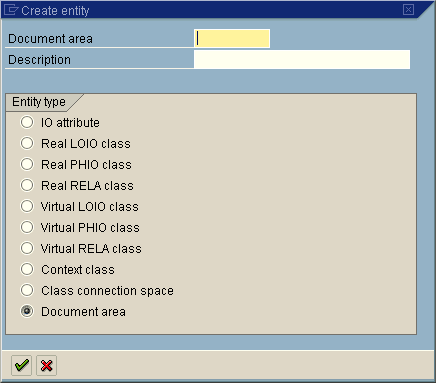
A window opens containing the existing entity types. ‘IO attribute’ is selected by default in the dialog box. However, to create a new content model, you first have to create a document area:
-
Select ‘Document area’ and enter a name and description for the new document area.
-
Confirm your input by choosing Accept Data.
-
The dialog box Create Object Directory Entry appears. Here, either enter a package and save your entries, or choose Local Object.
The document area you just created now appears in the entity tree in the main window. Finally, you have to activate the new entity.
-
Right-click on the entity to call up the context menu, and choose Activate.
Result
You have laid the foundation for a new content model. The rest of this documentation shows you how to create the remaining entities required.